Understanding the 5 Most Important Computer Components in Laptops and Mini PCs

Buying a computer requires understanding its internal parts. Knowing how these components function helps you select a device that meets your daily requirements without overspending on unnecessary specifications. This guide explains the most critical parts of a computer, specifically focusing on how they operate within compact devices like laptops and mini PCs.
The Central Processing Unit and Overall System Speed
The CPU executes instructions from hardware and software. It actively processes data, performs calculations, and manages background tasks. A processor with a higher clock speed (measured in GHz) and more cores completes tasks faster, directly impacting how snappy your system feels.
Mobile Processors vs. Desktop Processors
Manufacturers design mobile processors for laptops and mini PCs to use less power and generate less heat than desktop variants. Current generations of Intel Core (including Core Ultra) and AMD Ryzen mobile processors deliver high-end performance in small form factors. A typical 15-watt to 45-watt mobile processor easily handles web browsing, heavy spreadsheet calculations, and media playback while maintaining a minimal thermal footprint.
Random Access Memory for Smooth Multitasking
RAM provides short-term memory for active applications. When you open a program, the computer loads it from the storage drive into the RAM for quick access by the CPU. If you exhaust the available RAM, the system slows down because it must swap data back and forth with the slower storage drive.
Upgradability in Small Form Factor PCs
When determining memory requirements, 8GB serves as an absolute baseline for basic web browsing. However, 16GB is the current standard for Windows environments and running multiple applications simultaneously. For video editing or complex 3D rendering, 32GB is highly recommended. Upgrading laptop or mini PC memory is often possible through accessible SODIMM slots. Utilizing two memory sticks of the same capacity enables dual-channel memory, which increases data transfer rates between the RAM and the CPU.
Solid State Drives for Fast Data Storage
Computer storage retains your operating system, applications, and files permanently. Hard Disk Drives (HDDs) use spinning magnetic platters and mechanical arms to read and write data. Solid State Drives (SSDs) use flash memory chips, which have no moving parts. This mechanical difference means SSDs read and write data significantly faster than older HDDs.
The Shift to PCIe NVMe M.2 SSDs
Compact computers utilize PCIe NVMe M.2 SSDs. These drives connect directly to the motherboard via the PCIe interface. An NVMe SSD can reach read speeds between 3,500 MB/s and up to 14,000 MB/s (on newer PCIe Gen 5 drives), compared to roughly 150 MB/s for a standard HDD. The M.2 2280 form factor is the size of a stick of gum, drastically reducing the physical space required inside the device chassis.
The Graphics Processing Unit for Visuals and Gaming
The GPU calculates and renders images, video, and 2D/3D graphics on your display. The choice between integrated and dedicated graphics depends entirely on your specific workload. A dedicated GPU has its own video memory (VRAM) and cooling system, which is required for high-end 3D gaming and professional video rendering.
Can Integrated Graphics Handle Heavy Workloads?
Integrated graphics are built directly into the CPU and share the system's RAM. Current integrated architectures, such as AMD Radeon and Intel Arc graphics, are powerful enough to run popular esports titles at 1080p resolution and medium settings. They also seamlessly decode 4K video, support multiple monitors, and accelerate basic photo editing software, making a dedicated GPU unnecessary for standard office or media tasks.
Motherboard Design and Thermal Management
The motherboard is the primary printed circuit board. It connects the CPU, RAM, storage, and peripheral ports, allowing data to transfer between them. In compact devices, manufacturers design high-density motherboards to fit all necessary components into a chassis that is often less than 2 liters in volume.
Preventing Overheating in Compact Spaces
Heat is an inevitable byproduct of electricity passing through the CPU and GPU. If the heat is not dissipated, the components reduce their clock speeds (thermal throttling) to prevent damage. A mini PC cooling system utilizes copper heat pipes to draw heat away from the processor and transfer it to an aluminum heatsink. A blower fan then expels the hot air out of the chassis. Keeping the air vents clear of dust is necessary to maintain stable operation.
Choosing the Right Device Based on Your Workflow
Before you buy a computer, evaluate your physical workspace and the tasks you perform daily. Choosing a mini PC or a laptop involves matching these hardware specifications to your specific workflow.
Laptops for Remote Work and Portability
If your work requires mobility, a laptop provides an integrated display, keyboard, and battery. A reliable laptop for remote work features a power-efficient mobile CPU, at least 16GB of RAM, and a 512GB SSD. This configuration supports web conferencing, document creation, and web-based applications for hours on a single battery charge.

ACEMAGIC RX16 AMD Ryzen 7 H255 Laptop
- Specs: AMD Ryzen™ 7 H255 Processor (8 Cores/16 Threads)
- Use Case: The 16GB RAM capacity is sufficient for efficient everyday multitasking, remote working, and light creative workloads. The integrated AMD Radeon™ 780M graphics handles multimedia and casual gaming smoothly. It also features two full-function Type-C ports, allowing users to seamlessly connect external displays and peripherals for an expanded workspace.
Mini PCs for Clean Desktops and Home Theaters
If you work at a fixed desk and want to use multiple large monitors without a large desktop tower, a mini PC is the correct hardware format. A mini PC configured for a home theater uses a low-power CPU with capable integrated graphics to stream 4K video quietly. For office setups, it easily mounts to the back of a monitor via a VESA bracket, clearing desk space while providing the same port connectivity as a larger computer.

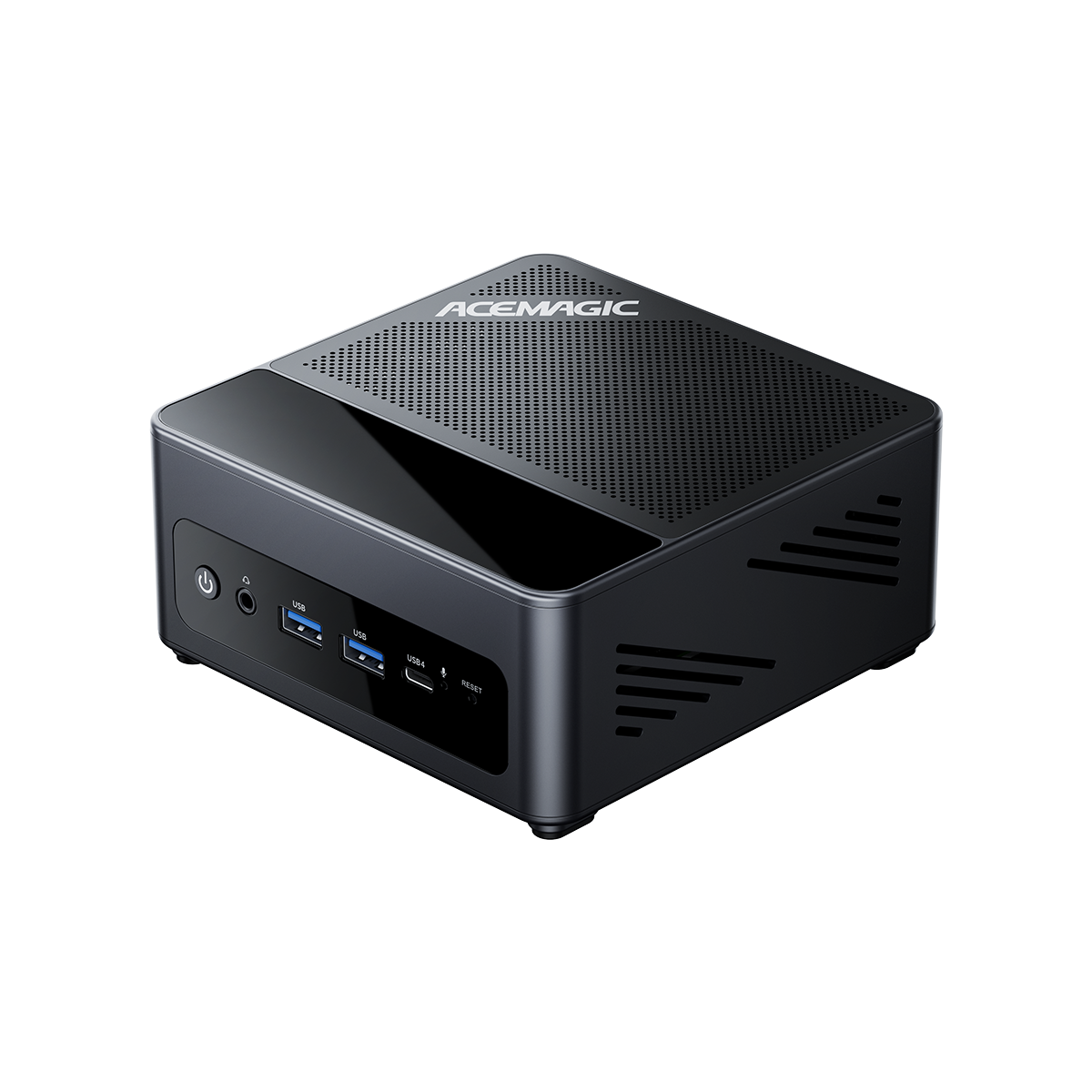
ACEMAGIC M1 Mini PC
- Specs: AMD Ryzen™ 7 7735HS Processor (8 Cores/16 Threads, up to 4.75 GHz), 24GB LPDDR5 5500MT/s RAM.
- Use Case: The 24GB high-speed LPDDR5 RAM efficiently handles intensive multitasking and heavy browser workloads. The integrated AMD Radeon™ 680M graphics delivers solid performance for multimedia editing and light to medium gaming, while its versatile I/O ports allow for up to three 4K displays, making it a highly capable all-around compact workstation for home and office environments.
FAQ
Can I upgrade the processor or graphics card in a mini PC or laptop?
No. In laptops and mini PCs, the CPU and GPU are generally soldered directly to the motherboard to save space. You cannot upgrade them after purchase. You must choose a device with a processor and graphics unit that meets your long-term needs.
Do I need a dedicated graphics card for standard office work and web browsing?
No. Integrated graphics found in recent CPUs are highly capable of handling office applications, web browsing, and 4K video playback. You only need a dedicated graphics card for heavy AAA 3D gaming, complex CAD rendering, or professional video editing.
Is 16GB of RAM enough for gaming?
Yes, 16GB is the recommended standard for most gaming setups. It provides enough capacity to run popular titles smoothly while keeping background applications open.
💡For detailed benchmarks and specific game requirements, read our complete guide: Is 16GB RAM Enough for Gaming?
Which component should I upgrade first if my computer feels slow?
If your older computer uses a mechanical HDD, upgrading to an SSD is the most effective way to increase speed. If you already have an SSD, upgrading the RAM from 8GB to 16GB or 32GB will improve multitasking performance and overall responsiveness.
Why do most new laptops and mini PCs use SSDs instead of traditional HDDs?
SSDs have no moving parts, making them smaller, lighter, quieter, and significantly faster than HDDs. The tiny size of M.2 NVMe SSDs allows manufacturers to design thinner laptops and much more compact mini PCs.
Is it safe to leave a mini PC running 24/7 without it overheating?
Yes, provided the device has proper ventilation. Mini PCs use mobile processors designed to operate efficiently at low wattages. As long as the intake and exhaust vents are not blocked by objects or dust, the internal cooling system will maintain safe operating temperatures during continuous use.