
PC Gamer ARK Guide 2026: The Best Gaming PC for ARK Survival Ascended
The Right Gaming PC for ARK Survival Ascended – Requirements & Buying Guide
Looking for a reliable PC gamer ARK setup that delivers stable FPS without constant stuttering and crashes? Thanks to Unreal Engine 5 technology, ARK Survival Ascended PC demands far more hardware power than most conventional AAA titles. Many standard gaming rigs fail under the game's unique simulation load, even when they technically meet the minimum specs.
This ARK Survival Ascended PC guide breaks down the real hardware requirements, shows practical performance differences, and recommends matching mini PCs for every budget and play style.
Unreal Engine 5 Hardware Impact on PC Gamer ARK
ARK Survival Ascended runs on Unreal Engine 5, raising hardware demands roughly 30 percent compared to the classic ARK Survival Evolved. Many players underestimate this significant performance jump for a PC gamer ARK build.
UE5 features like dynamic Lumen global illumination, Nanite high-detail geometry, volumetric clouds, and real-time weather effects create extreme sustained load on PC hardware.
Testing from Digital Foundry confirms that ARK Survival Ascended ranks among the worst-optimized Unreal Engine 5 titles available. Even modern high-end graphics cards fail to maintain consistently stable frame rates, despite modest-looking official system requirements.
Standard gaming PCs struggle with the game's persistent real-time simulation of the open dynamic world. A specialized ARK ascended PC is essential for a smooth gameplay experience. Every serious ARK ascended PC build requires careful component selection.
ARK's Unique Load Distribution: CPU, RAM, and GPU Explained
The critical technical difference from typical AAA titles: ARK Survival Ascended is a CPU-bottleneck-dominated game, not a GPU-limited one. This is the primary cause of stuttering and frame drops, even with high-end graphics cards.

This ARK Survival Ascended PC title depends heavily on CPU performance, especially single-core speed for game simulation, dinosaur AI, physics calculations, and world streaming. Many performance dips stem not from weak graphics cards but from insufficient single-core processor power, as confirmed by community testing on Reddit r/ArkSurvivalAscended and PCGamesN.
The GPU handles only final image rendering. RAM stores massive world maps, active mods, and thousands of dynamic objects. Missing single-core performance or insufficient RAM causes severe drops even with a powerful GPU.
This is why every ARK ascended PC needs a balanced, purpose-built configuration to address engine-imposed performance bottlenecks.
Changed Hardware Demands from the UE5.7 Update 2026
Recent Unreal Engine improvements enhance overall rendering quality and stability for ARK Survival Ascended PC, but they do not change the game's fundamental hardware requirements.
Even after engine adjustments, CPU-based simulation loads and high RAM demands remain the central bottlenecks. Mid-range hardware benefits from optimizations, while 2K/4K ultra settings, large mod collections, and persistent server hosting still require powerful hardware.
Epic Games engine patches improve general game performance but cannot eliminate the core hardware requirements of ARK Survival Ascended PC. Typical micro-stutters persist due to engine-level single-core load and delayed shader caches.
Mid-range hardware sees meaningful gains from these patches. For 2K/4K ultra settings, large mod packs, and long-term server operation, a powerful ARK PC with strong single-core performance and 32 GB+ RAM remains indispensable.
Official Minimum and Recommended ARK PC Configurations (2026)
Minimum Configuration for Playable ARK Survival Ascended
To launch and basic-play ARK Survival Ascended, you need at least a modern 4-core processor, 16 GB RAM, an entry-level GPU, and an NVMe SSD.
With this minimum setup, 1080p medium settings at 35–45 FPS are possible. This configuration only supports unmodified solo gaming, not extended sessions or multiplayer.
Recommended Smooth Configuration for ARK Survival Ascended PC
For stutter-free gaming with mods, multiplayer servers, and medium to high graphics settings, here is the recommended baseline for a stable PC gamer ARK build:
| Component | Recommended Spec (2026) | Purpose |
|---|---|---|
| CPU | Modern 6-core processor with high single-core clock speed | Eliminates CPU bottlenecks for AI and world simulation |
| RAM | 32 GB Dual-Channel | Essential for mods, multiplayer, and long sessions (no crashes) |
| GPU | Modern GPU with 8 GB+ VRAM | Stable texture rendering at UE5 high settings |
| Storage | PCIe 4.0 NVMe SSD (180 GB+ free) | Fast world streaming, no loading stutters |
With this configuration, any modern PC gamer ARK build runs stably at 60+ FPS on 1080p ultra and 2K high settings.
What Many ARK PC Guides Hide: Official Specs vs. Real FPS
Official Steam requirements alone do not make a good gaming PC for ARK. ARK Survival Ascended PC uses Unreal Engine 5 with Nanite geometry, Lumen lighting, and volumetric clouds that place sustained heavy load on hardware. Digital Foundry testing confirms the title ranks among the most demanding and least-optimized UE5 games.

The key difference from typical AAA games: ARK Survival Ascended PC is primarily CPU-dependent, not GPU-limited. Performance data from pcoptimizedsettings.com shows that FPS only drops about 50 percent from 1080p to 4K, far less than comparable titles. This proves that stability and smooth frame rates depend mainly on processor and RAM, not just the graphics card.
| Config Level | CPU | GPU | RAM | Real-World Performance |
|---|---|---|---|---|
| Minimum (Official) | Ryzen 5 2600X / i7-6800K | RX 5600 XT / GTX 1080 | 16 GB | Barely launches, often <30 FPS, heavy stuttering |
| Recommended (Official) | Ryzen 5 3600X / i5-10600K | RX 6800 / RTX 3080 | 32 GB | Stable 60 FPS only with DLSS/FSR upscaling |
| Real 1080p / 60 FPS | Intel Core i5-12400 | RX 6800 | 16–32 GB | Sustained ~60 FPS at medium to high settings |
| Real 4K / Epic | High-End X3D CPU | RTX 4090 | 32 GB | Only 34 FPS without upscaling (even top hardware hits limits) |
Sources: Steam Official, Digital Foundry, PCGamesN, bottleneckpc, pcoptimizedsettings.com
Note: FPS figures are based on real-world testing and may vary depending on system configuration, driver version, and server load.
Bottom line: Do not rely blindly on official Steam recommendations. A balanced PC for ARK benefits massively from DLSS/FSR upscaling and strong single-core CPU performance.
ARK Survival Ascended vs. ARK Survival Evolved: Which ARK PC Do You Need?
Many gamers search for an ARK PC that handles both game versions smoothly. The following comparison shows why a dedicated ARK ascended PC demands significantly more power than hardware for classic ARK Survival Evolved.
| Comparison | ARK: Survival Evolved (ASE) | ARK: Survival Ascended (ASA) |
|---|---|---|
| Game Engine | Unreal Engine 4 | Unreal Engine 5 (Nanite, Lumen, Volumetrics) |
| Hardware Demand | Significantly lower | ~30% more processing power required |
| Storage (SSD) | ~60 GB | 180 GB mandatory (2026) |
| CPU Load | Moderate | Very high (clear CPU bottleneck) |
Sources: Steam System Requirements, GEEKOM SERP Data Analysis 2026
Note: The 180 GB storage requirement reflects the 2026 state with all updates and DLCs included.
Many existing ARK guides rely on theoretical Steam standards while ignoring real-world benchmarks. Testing from Digital Foundry and PCGamesN confirms that even systems with officially recommended hardware often fail to sustain 60 FPS at medium or high graphics settings.
Classic ARK Survival Evolved runs smoothly on strong hardware at high resolution, while the UE5-based remake demands significantly more power. Targeted hardware selection for an ARK ascended PC is essential.

Budget and Scenario-Based PC for ARK Configurations
The following section presents matching mini PC models for all ARK gameplay scenarios. Each system includes precise hardware specs, recommended settings, and real-world FPS figures so you can find the right gaming PC for ARK.

Best ARK PCs 2026 Overview
| Model | Use Case | Recommended For |
|---|---|---|
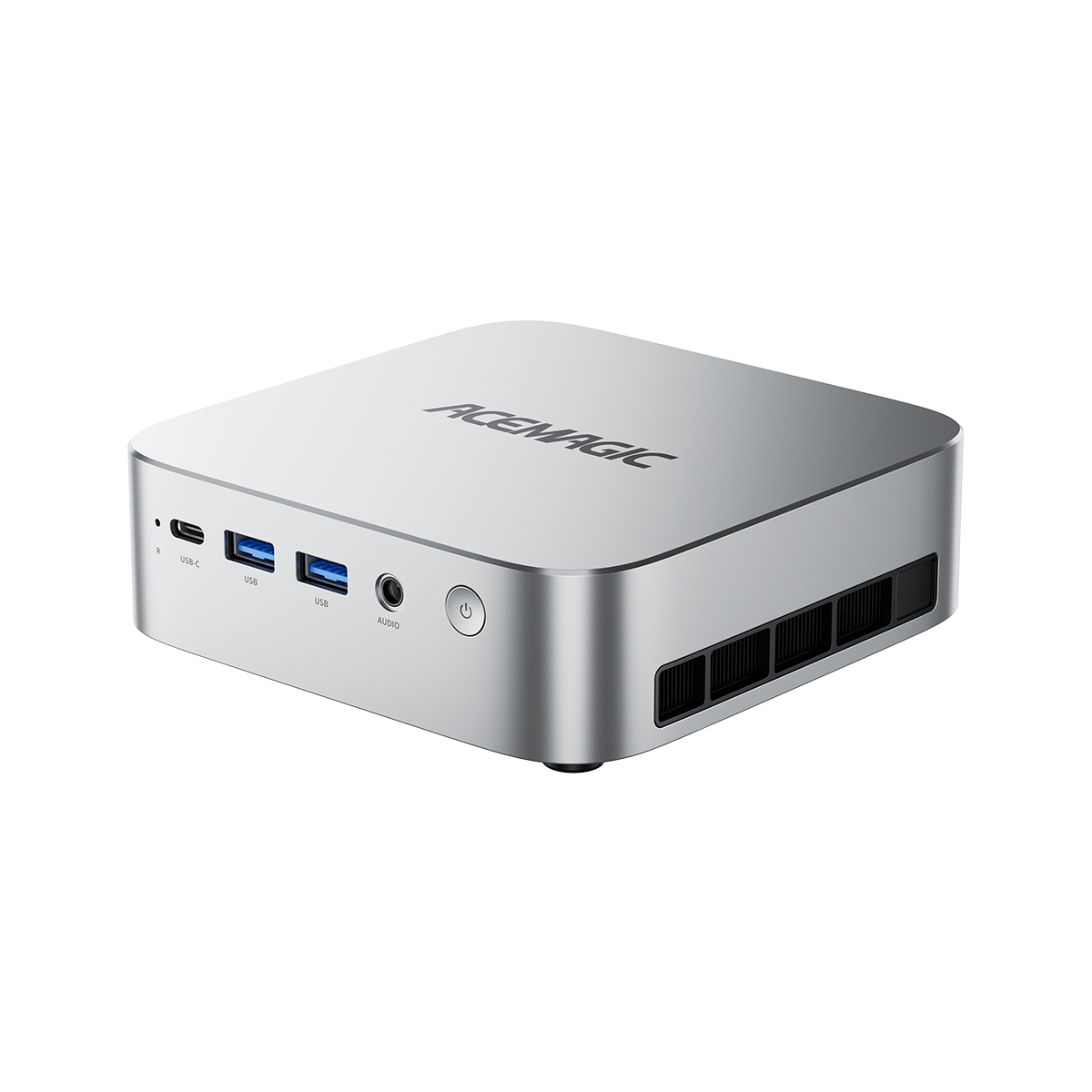
| ACEMAGIC K1 | Budget ARK Gaming | 1080p medium/low, mod-free solo gaming |
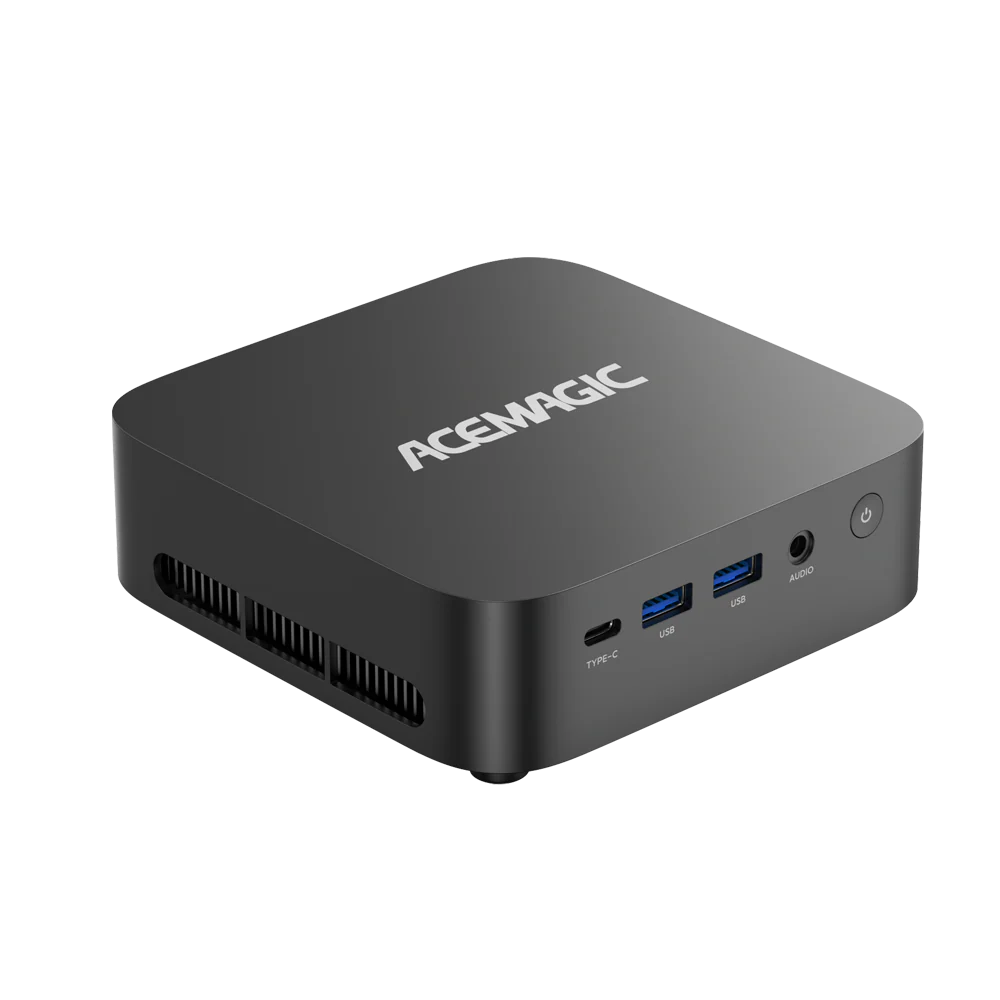
| ACEMAGIC S3 | Multiplayer & Long Sessions | Stable server connection, medium mod packs, 1080p/2K high |
| ACEMAGIC M1A | 2K/4K High-End Gaming | Ultra graphics, large bases, smooth high-resolution display |
| ACEMAGIC F5A | Mods, Streaming & Private Servers | Heavy mod combinations, multitasking, persistent server hosting |
Best for: Beginners and casual players
Shop Now
Best for: Regular online players and mod users
Shop Now
Best for: Gamers who demand high-end graphics at 2K/4K
Shop Now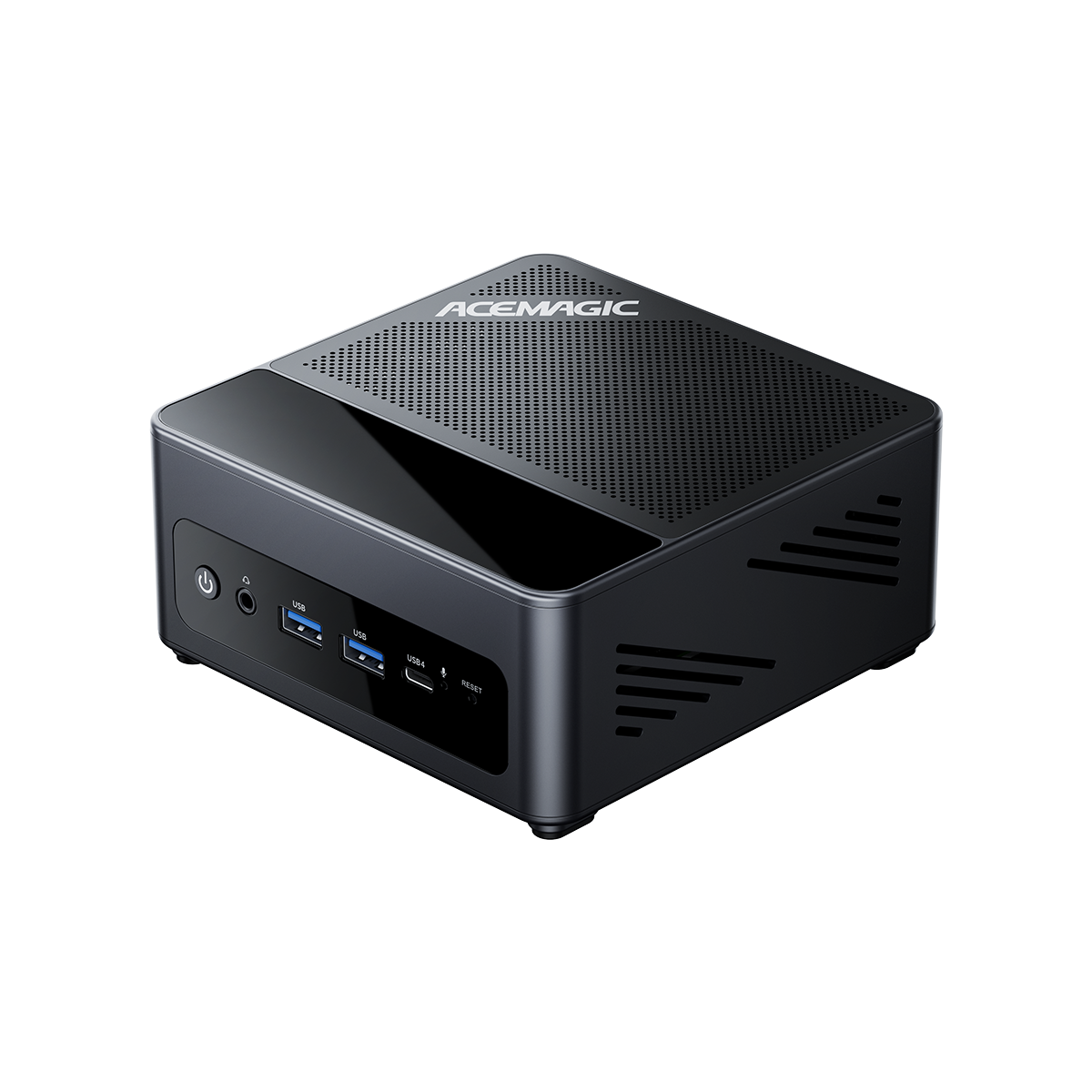
Best for: Modders, streamers, and server operators
Shop NowWhich ARK PC Is Right for You?
- Choose K1 if you are a beginner wanting to try ARK at 1080p with medium settings
- Choose S3 if you play multiplayer regularly and need stable 60 FPS at 1080p Ultra / 2K High
- Choose M1A if you prefer high-end graphics at 2K/4K with high to maximum settings
- Choose F5A if you run mods, stream, and host servers simultaneously
Component Priorities and Pitfalls for PC for ARK
What Hardware Really Matters for ARK Survival Ascended?
Building a PC gamer ARK follows different rules than typical gaming builds. Instead of maximizing individual component power, balanced coordination between CPU, RAM, graphics card, and SSD is what counts.
- CPU: High single-core performance is critical for simulation, AI, and world calculation – more slow cores offer little benefit
- GPU: Sufficient VRAM matters more than raw compute power for stable UE5 high-res textures and long draw distances
- RAM: 32 GB Dual-Channel is the current standard for stable modded multiplayer gaming. 16 GB only supports basic solo play
- SSD: An NVMe SSD is mandatory to avoid long loading times and texture streaming errors
Mini PC for ARK
- Space-saving and portable
- Lower power consumption
- Quieter operation
- More affordable at equal performance
Desktop PC for ARK
- Maximum expandability
- Larger cooling capacity
- Easier GPU upgrades
- Only needed for extreme 4K/server scenarios
Optimized Graphics Settings for ARK Survival Ascended PC
Performance Optimization for Entry-Level ARK PCs
For entry-level systems like the K1, use medium base settings for textures and shadows, disable motion blur, and reduce volumetric fog. These adjustments cut hardware load by up to 25 percent with minimal visible quality loss, ensuring sustained smooth 1080p gaming.
Balanced Graphics for Mid-Range PC Gamer ARK Builds
Mid-range systems can combine 1080p Ultra and 2K High settings. Slightly reduce shadow quality and enable FSR to achieve the perfect balance of visuals and stability for multiplayer sessions.
Premium 2K/4K Settings for High-End ARK Ascended PC
High-end systems support native 2K Ultra with maximum textures, shadows, and draw distances. At 4K resolution, slight render quality adjustment combined with DLSS/FSR is recommended to maintain perfect image quality at stable frame rates.
Correct DLSS and FSR Upscaling Usage
DLSS (NVIDIA): DLSS Quality for 2K Ultra, DLSS Balanced for 4K gaming. This maximizes frame rate without visible quality loss and is the best option for high-quality ARK Survival Ascended PC gaming.
FSR (AMD): FSR Quality for 1080p, FSR Balanced for 2K, FSR Performance for 4K. FSR is especially effective for mid-range hardware and can significantly improve frame rates.
Budget Upgrades for Older ARK PC Systems
Top Three Causes of Stuttering, Frame Drops, and Crashes
Older systems fail due to three core problems: insufficient RAM, slow SATA drives or HDDs, and outdated single-core processor performance. These three bottlenecks make smooth ARK Survival Ascended PC gameplay impossible.
Affordable Upgrades ($300–$800) for Playable ARK Gaming
The most effective budget upgrades are expanding to 32 GB RAM and switching to an NVMe SSD. These two changes eliminate 80 percent of typical ARK problems and transform older systems into fundamentally playable ARK PC rigs.
Mid-Range Upgrade for Near-New ARK Survival Ascended PC Experience
For a fully modern experience, upgrading to a current high-clock processor and modern graphics card is worthwhile. If you prefer to avoid that, choose one of the optimized mini PC models as a ready-to-go PC for ARK, pre-tuned for the game's demands.
Frequently Asked Questions About ARK PC
Can a Mini PC Run ARK Survival Ascended?
Yes, modern high-performance mini PCs can run ARK Survival Ascended without issues. With optimized cooling, current processors, and sufficient RAM, they handle all common gameplay scenarios from 1080p to 4K far more reliably than most gaming laptops.
Which Mini PC Is Best for ARK Survival Ascended?
Different models suit different needs: an entry-level system for affordable gaming, a mid-range model for stable multiplayer, a high-end build for 2K/4K gaming, and a pro system for mods, streaming, and private servers.
How Much RAM Does ARK Survival Ascended Need?
For mod-free solo gaming, 16 GB RAM is the bare minimum. For all extended scenarios including mods, multiplayer, large bases, and server hosting, 32 GB Dual-Channel RAM is absolutely essential to prevent stuttering and crashes (Community Benchmarks & BottleneckPC 2026).
Is a Gaming PC or Mini PC Better for ARK?
For most players, mini PCs are the better choice: they save space, run quieter, consume less power, and cost less for equivalent gaming performance. Traditional desktop PCs only make sense for extreme 4K pro gaming and massive server projects.
What Is the Difference Between 16 GB and 32 GB RAM for ARK?
16 GB RAM only works for basic mod-free solo gaming at low/medium settings. 32 GB eliminates all memory-related issues and enables extended base building, mod usage, and stable multiplayer without crashes.
Can Mini PCs Handle ARK Long-Term?
Yes. Modern mini PCs feature gaming-optimized cooling systems designed for sustained high loads. They deliver consistent performance across all standard ARK scenarios and prove more reliable than gaming laptops.
Conclusion: Choosing the Right ARK Survival Ascended PC
Based on SERP analysis, official hardware requirements, and independent real-world testing, the right ARK PC exists for every performance tier. A budget model suits beginners perfectly, a mid-range system delivers stable multiplayer performance, a high-end build provides premium 2K/4K gaming, and a pro system is the optimal choice for modders, streamers, and server operators. Every model is optimally tuned for the unique demands of ARK Survival Ascended PC and solves the typical problems of conventional gaming hardware.
References
- Studio Wildcard. (2026). ARK: Survival Ascended – System Requirements. Steam. Steam Store
- Digital Foundry. (2024). ARK Survival Ascended Performance Analysis. Eurogamer. Digital Foundry
- Epic Games. (2024). Unreal Engine 5 Technical Overview. Unreal Engine
- PCGamesN. (2025). ARK Survival Ascended PC Performance Guide. PCGamesN
- pcoptimizedsettings.com. (2026). ARK Survival Ascended Best Settings. PCOptimizedSettings
- NVIDIA. (2024). DLSS Technology. NVIDIA DLSS
- AMD. (2024). FidelityFX Super Resolution. AMD FSR