
Mac Mini M4 vs Mini PC: Which Compact Desktop Computer Is Better in 2026?
Mac Mini M4 vs Custom Mini PC – Which Tiny PC Should You Buy in 2026?
Compact desktop computers have become increasingly popular as windows mini pcsers look for smaller, more efficient alternatives to traditional desktop PCs.
Among the most discussed options today are Windows Mini PCs and the Mac Mini M4.
Both devices offer a small form factor, low power consumption, and enough performance for modern computing tasks. However, they are built around completely different approaches.
A Mini PC focuses on flexibility. With Intel and AMD processor options, Windows 11 compatibility, upgradeable components, and a wide range of configurations, Mini PCs can be customized for different workloads.
The Mac Mini M4 takes a more integrated approach. Powered by Apple's M4 chip and macOS, it combines hardware and software optimization to deliver a streamlined desktop experience.
When comparing a mini pc vs mac mini m4, performance is only one part of the decision. Factors such as operating system, upgrade options, connectivity, AI capabilities, and long-term usability can significantly affect which device is the better choice.

This guide provides a detailed comparison between Mini PC and Mac Mini M4, covering:
- Performance and processing power
- Windows 11 vs macOS experience
- AI capabilities
- Hardware upgrades
- Connectivity options
- Real-world applications
- Price and long-term value
By understanding the differences between these two compact desktop solutions, users can make a more informed buying decision.
Why Are Mini PCs and Mac Mini M4 Becoming Popular?
Traditional desktop computers still provide excellent performance, but many users no longer need a large tower PC for everyday computing.
Compact desktop computers offer several advantages:
- Smaller footprint
- Lower energy consumption
- Easier placement in different environments
- Sufficient performance for most modern workloads
A Mini PC can serve as:
- A productivity workstation
- A home entertainment system
- A business computer
- An AI-capable desktop
- A compact development machine
Meanwhile, the Mac Mini M4 provides Apple users with a small desktop option that delivers strong performance without requiring a larger computer setup.
The growing popularity of both devices shows that desktop computing is moving toward smaller, more efficient, and more flexible solutions.
What Is a Mini PC?
A Mini PC is a compact desktop computer designed to deliver desktop-level performance in a smaller form factor.
Unlike traditional desktop PCs, Mini PCs reduce the size of the system while maintaining essential desktop features, including:
- Desktop-class processors
- Multiple connectivity options
- Upgradeable components
- Flexible operating system choices
Modern Mini PCs are available with different hardware platforms, including:
Depending on the configuration, a Mini PC can be equipped with different:
- CPU performance levels
- RAM capacities
- SSD storage options
- Connectivity configurations
This flexibility allows Mini PCs to support a wide range of applications, from everyday computing to professional workloads.
Many models also support:
- Windows 11
- Linux systems
- External graphics solutions
- Additional storage expansion
Compared with fixed-configuration compact computers, Mini PCs provide users with more control over hardware selection and future upgrades.
What Is Mac Mini M4?
The Mac Mini M4 is Apple's compact desktop computer powered by the Apple M4 chip and running macOS.
Unlike an all-in-one computer, it does not include a display, keyboard, or mouse. Users connect their preferred accessories to create their own desktop setup.
As an Apple Mac Mini desktop computer, the Mac Mini M4 focuses on a highly integrated hardware and software experience.
Its M4 chip combines:
- CPU
- GPU
- Unified memory architecture
- Neural Engine
This design allows macOS to optimize performance, power efficiency, and application compatibility.
The Apple Mac Mini desktop concept is different from traditional PCs because Apple controls both the hardware and operating system, creating a consistent experience across the entire system.
Key Differences Between Mini PC and Mac Mini M4
Although both devices belong to the compact desktop category, their approaches are different.
| Category | Mini PC | Mac Mini M4 |
|---|---|---|
| Operating System | Windows 11 / Linux | macOS |
| Processor Options | Intel / AMD platforms | Apple M4 chip |
| Hardware Choice | Multiple configurations | Fixed Apple configurations |
| Memory | Some models support upgrades | Selected at purchase |
| Storage | Often expandable | Mainly external expansion |
| Software Ecosystem | Broad Windows compatibility | Apple ecosystem |
| Hardware Design | Flexible and modular | Integrated and optimized |
Different Design Philosophies
The biggest difference between Mini PC and Mac Mini M4 is not only hardware performance, but the philosophy behind the products.

Mini PC Approach
Mini PCs are designed around flexibility. Manufacturers provide different combinations of:
- Processor performance
- Memory
- Storage
- Ports
- Cooling solutions
This gives users more options when choosing a system based on their requirements.
Mac Mini M4 Approach
Mac Mini M4 follows Apple's traditional approach:
- Controlled hardware configuration
- Optimized software experience
- Minimal setup complexity
Instead of allowing users to customize every component, Apple focuses on delivering a consistent experience immediately after purchase.
Mini PC vs Mac Mini M4: Which One Has More Flexibility?
From a hardware perspective, Mini PCs generally provide more choices. Users can select systems based on:
- Budget
- Performance requirements
- Upgrade expectations
- Software environment
The Mac Mini M4 provides a more unified experience with fewer configuration decisions.
This difference becomes especially important when comparing future upgrades, hardware customization, and long-term ownership.
Mac Mini M4 vs Mini PC: Performance Comparison
Performance is one of the most important factors when choosing a compact desktop computer. However, comparing only processor specifications does not fully represent the real experience.
The Mac Mini M4 and modern Mini PCs use different performance strategies. The Mac Mini M4 focuses on Apple's integrated hardware architecture, while Mini PCs provide a wider range of processor choices and configurations.
CPU Performance: Apple M4 vs Intel and AMD Platforms
The Mac Mini M4 is powered by Apple's M4 chip, which combines CPU, GPU, memory architecture, and AI acceleration into a single system design.
Key advantages include:
- Strong single-core performance
- Excellent power efficiency
- Fast response during daily workloads
- Optimized application performance
Modern Mini PCs use a variety of processors, including:
- Intel Core i5, i7, and Core Ultra series
- AMD Ryzen 5, Ryzen 7, and Ryzen 9 series
This gives buyers more choices based on performance requirements and budget.
Graphics Performance: Integrated Design vs Hardware Choice
The Mac Mini M4 uses an integrated GPU designed by Apple. Its advantages include:
- Efficient graphics processing
- Strong optimization with macOS applications
- Smooth performance for creative workflows
Mini PCs typically rely on integrated graphics from Intel or AMD platforms. Depending on the model, they can provide:
- Intel Arc graphics
- AMD Radeon integrated graphics
- Support for different display configurations
AI Performance: Mac Mini M4 vs AI-Capable Mini PC
AI performance has become an increasingly important consideration for modern desktop computers.
The Mac Mini M4 includes Apple's Neural Engine, designed to accelerate AI-related tasks within supported applications.
AI-capable Mini PCs using newer Intel and AMD platforms can support:
- NPU acceleration
- Windows AI features
- Local AI applications
- Open-source AI tools
The difference is that Apple's Neural Engine works mainly within applications optimized for macOS, while Windows-based Mini PCs often provide broader compatibility with third-party AI tools and developer environments.
Multitasking and Daily Performance
For common desktop tasks, both platforms provide enough performance for most users. Typical workloads include:
- Web browsing
- Office applications
- Video conferencing
- Multiple application usage
- Media playback
Performance Comparison Summary
| Category | Mac Mini M4 | Mini PC |
|---|---|---|
| Processor | Apple M4 | Intel / AMD options |
| CPU Optimization | Excellent hardware-software integration | Depends on selected platform |
| Graphics | Apple integrated GPU | Intel / AMD graphics options |
| AI Acceleration | Apple Neural Engine | NPU + multiple AI platforms |
| Configuration Choice | Limited | Wide selection |
| Performance Scaling | Fixed configurations | Multiple performance levels |
The Mac Mini M4 delivers strong performance through Apple's optimized ecosystem, while Mini PCs provide more choices through different processors, configurations, and upgrade paths.
Windows Mini PC vs Mac Mini M4: Operating System and Software Compatibility
The operating system is one of the biggest differences between a Windows Mini PC and the Mac Mini M4.
macOS Experience on Mac Mini M4
The Mac Mini M4 runs macOS, Apple's desktop operating system designed specifically for Mac hardware. macOS provides:
- Consistent system performance
- Strong hardware-software optimization
- Regular security updates
- Smooth integration with Apple devices
macOS is also optimized for many professional applications, including:
- Video editing software
- Music production tools
- Development environments
- Creative applications

Windows 11 Experience on Mini PC
A Windows Mini PC provides access to one of the largest desktop software ecosystems in the world. Modern Mini PCs with Windows 11 support:
- Microsoft Office
- Enterprise software
- Business management platforms
- Development tools
- Gaming applications
- AI software
Software Compatibility: Windows vs macOS
| Category | Mac Mini M4 | Windows Mini PC |
|---|---|---|
| Operating System | macOS | Windows 11 / Linux options |
| Software Compatibility | Strong Apple ecosystem support | Wider application compatibility |
| Business Software | Good | Excellent Windows compatibility |
| Gaming Support | Limited compared with Windows | Extensive |
| Hardware Support | Controlled ecosystem | Wider hardware choices |
| Developer Flexibility | Unix-based environment | Windows + Linux options |
Linux Support and System Flexibility
Many Mini PCs support additional operating systems, including Linux distributions. This provides flexibility for:
- Software development
- Programming environments
- Testing systems
- Home servers
- Technical projects
Upgradeability: Mini PC vs Apple Mac Mini Desktop
Upgradeability is one of the biggest differences between the Mini PC and the Mac Mini M4.
Mac Mini M4 Upgrade Limitations
The Mac Mini M4 uses Apple's integrated hardware architecture. The RAM and internal storage are soldered onto the mainboard and cannot be upgraded after purchase.
Important considerations include:
- Required memory capacity
- Storage requirements
- Future workload changes
Users working with large video projects, professional applications, AI workloads, or large file libraries may need to choose a higher configuration at the beginning.
Mini PC Upgrade Options
Many Mini PCs are designed with upgrade flexibility as a key advantage. Depending on the model, users may be able to upgrade:
- RAM
- SSD storage
- Wireless modules
- Other internal components
This allows users to extend the usable life of their system without replacing the entire computer.
Hardware Flexibility and Long-Term Ownership
The Mac Mini M4 provides:
- A simple purchase decision
- Optimized performance immediately after setup
- Minimal hardware maintenance
A flexible Mini PC provides:
- More configuration choices
- Easier component replacement
- Ability to adapt to changing workloads
Connectivity and Expansion: Mac Mini Desktop PC vs Mini PC
Mac Mini M4 Connectivity
The Mac Mini M4 provides essential connectivity for everyday users:
- USB-C / Thunderbolt ports
- HDMI output
- Ethernet connection
- Audio support
- Wireless connectivity

Mini PC Connectivity Options
Modern Mini PCs often focus on providing more built-in expansion options. Depending on the model, a Windows Mini PC may include:
- Multiple USB-A ports
- USB-C ports
- HDMI outputs
- DisplayPort
- Ethernet ports
- Audio connectors
- SD card slots
Some Mini PCs also support dual-monitor setups, triple-display configurations, and faster network connections.

Connectivity Comparison Summary
| Category | Mac Mini M4 | Mini PC |
|---|---|---|
| USB Connectivity | Modern USB-C / Thunderbolt | Multiple USB options |
| Display Support | Strong through Apple ecosystem | Flexible depending on model |
| External Storage | Excellent through Thunderbolt | Internal + external expansion options |
| Built-in Ports | Essential connections | Often more extensive |
| Accessories | May require docking solutions | Usually fewer adapters needed |
Real-World Applications: Mini PC vs Mac Mini M4 in Daily Use
Office and Business Applications
A Windows Mini PC can be used as a business workstation for:
- Microsoft Office applications
- Enterprise software
- Video conferencing
- Customer management systems
- Cloud-based workflows

AI Applications and Local Computing
The latest generation of Mini PCs can support AI workloads through:
- Intel Core Ultra processors
- AMD Ryzen AI platforms
- NPU acceleration
- Local AI applications
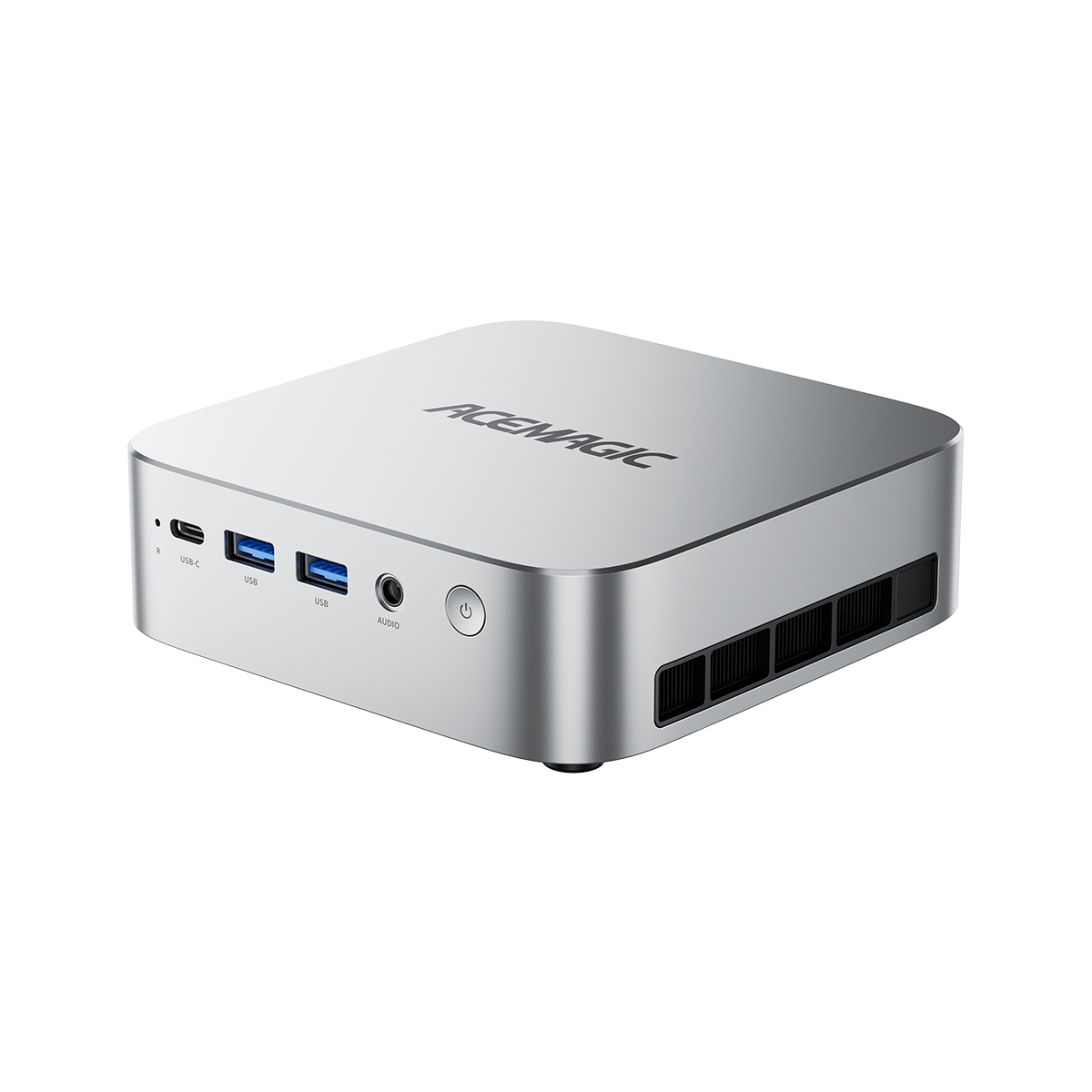
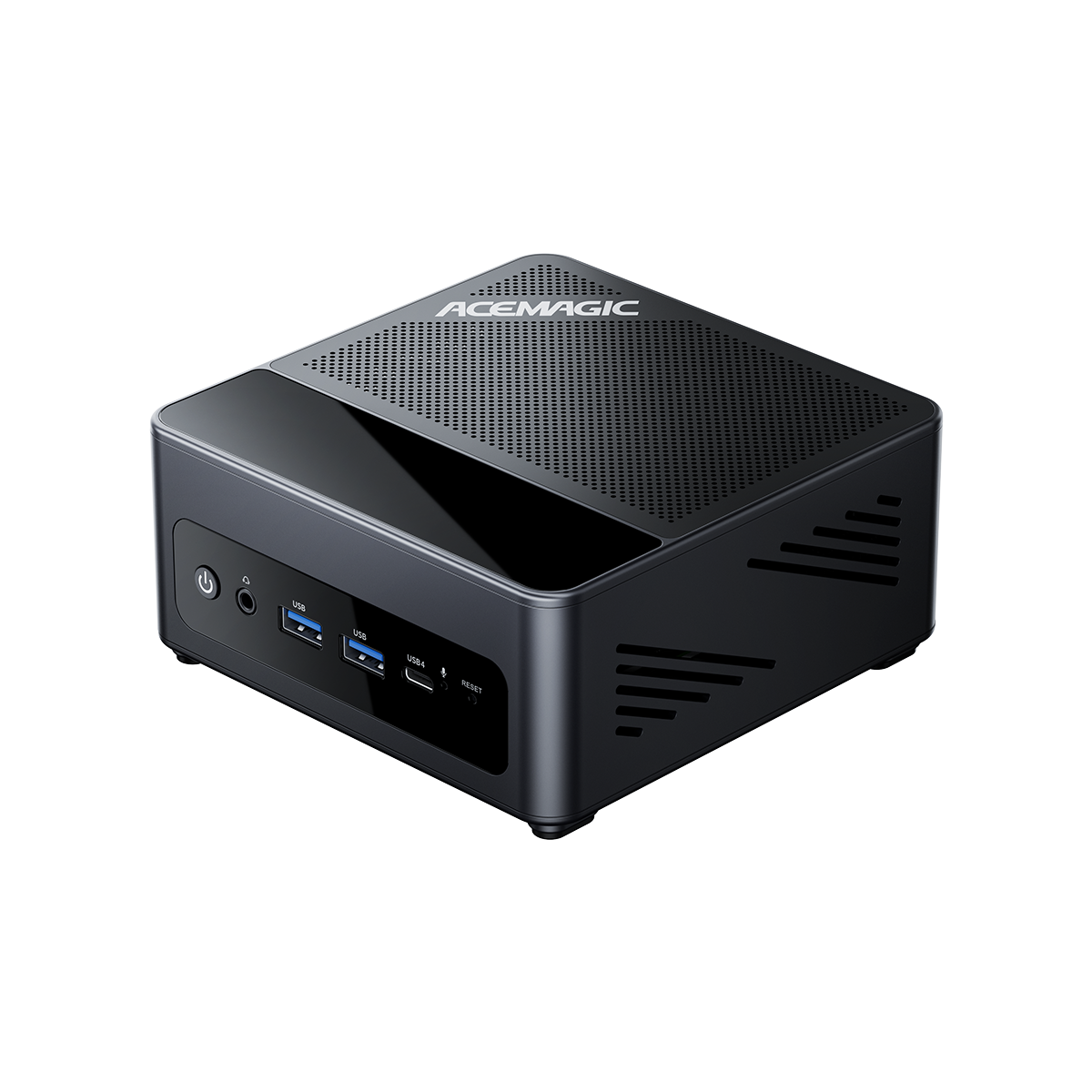
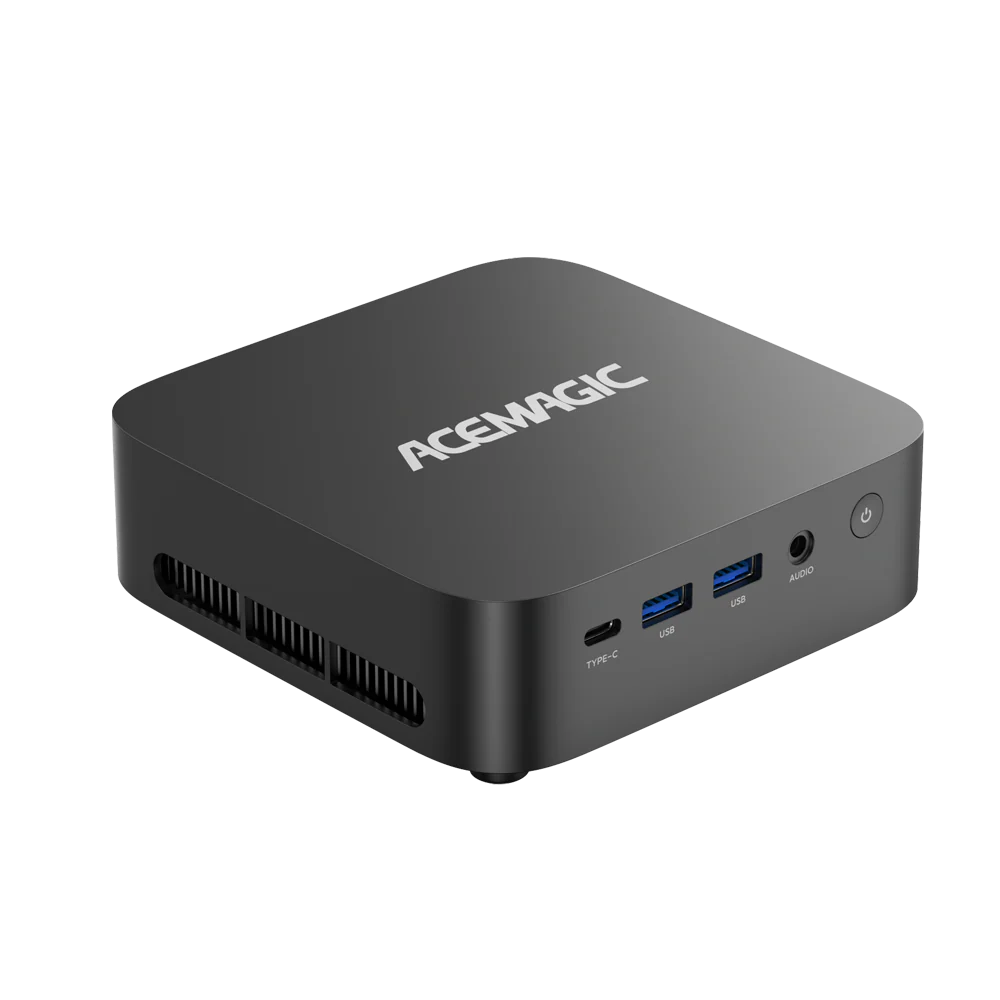
Take the ACEMAGIC F5A, a flagship Windows mini PC powered by AMD Ryzen AI 9 HX 370 as a standout example of AI-capable compact hardware.
Equipped with Windows 11 and full compatibility with mainstream AI development frameworks, this mini PC serves as an affordable all-in-one local AI workstation for creators, developers, and AI hobbyists.

Content Creation and Media Production
The Mac Mini M4 benefits from Apple's optimization for creative applications. Mini PCs can also provide strong creative performance, especially with higher-end configurations allowing users to select more RAM, larger SSD storage, and different processor options.

Programming and Development
The Mac Mini M4 provides advantages through its Unix-based macOS environment and Apple development ecosystem. Mini PCs provide flexibility through Windows development environments, Linux support, and hardware customization.
Home Entertainment and Media Center
Both options can provide a clean desktop entertainment setup without requiring a large PC case. A Mini PC can serve as a home media center, streaming device, or digital library system with gaming support.
Commercial and Specialized Applications
Mini PCs are widely used in professional environments including:
- Digital signage
- Meeting room computers
- Retail and point-of-sale systems
- Monitoring systems
Real-World Application Comparison
| Usage Scenario | Mini PC Advantage | Mac Mini M4 Advantage |
|---|---|---|
| Office | Windows compatibility, flexible deployment | Stable Apple ecosystem |
| AI Applications | More hardware/software flexibility | Apple Silicon optimization |
| Content Creation | Hardware configuration options | Software optimization |
| Development | Windows/Linux flexibility | macOS development environment |
| Entertainment | More customization options | Simple Apple ecosystem setup |
| Business Deployment | Wider hardware choices | Consistent Apple experience |
Price, Long-Term Value and Mac Mini Alternative
Initial Price Comparison
The Mac Mini M4 uses Apple's fixed hardware configurations. Higher memory and storage configurations usually require choosing a more expensive model at purchase.
A Mini PC usually provides more configuration choices. Depending on the model, buyers can select different combinations of processor performance, RAM capacity, SSD storage, and connectivity options.
Long-Term Ownership Cost
The Mac Mini M4 provides value through:
- Long software support
- Efficient performance
- Stable hardware-software integration
Mini PCs provide long-term value through flexibility. The ability to upgrade components can extend the useful life of the system.
Why Mini PC Can Be a Mac Mini Alternative
A growing number of users consider a Mini PC as a mac mini alternative because it provides:
- More Hardware Choices – Unlike the fixed Mac Mini lineup, Mini PCs are available with different Intel and AMD processors, memory configurations, and storage options
- Better Upgrade Flexibility – Many Mini PCs allow users to replace or expand RAM and SSD storage
- Broader Software Compatibility – A Windows-based Mini PC can run Windows applications, enterprise software, AI tools, development environments, and gaming platforms
Price-to-Performance Consideration
| Factor | Mac Mini M4 | Mini PC |
|---|---|---|
| Entry options | Apple fixed configurations | Wide price range |
| Hardware selection | Limited | Extensive |
| Upgrade cost | Limited after purchase | Lower through component upgrades |
| Software ecosystem | macOS | Windows/Linux |
| Long-term flexibility | Lower | Higher |
Final Buying Recommendation: Mini PC or Mac Mini M4?
Choose Mac Mini M4 If You Prefer:
- A highly optimized macOS experience
- Apple ecosystem integration
- Quiet and efficient operation
- Consistent hardware and software performance
Choose a Mini PC If You Need:
- Windows 11 compatibility
- More hardware choices
- Upgrade options
- Broader software support
- Flexible configurations
There is no universal winner between the two platforms. The Mac Mini M4 excels through hardware-software integration, power efficiency, and optimized macOS performance. The Mini PC stands out with hardware flexibility, upgrade capability, software compatibility, and wider configuration choices.
For users who want a compact computer that can adapt over time, a Mini PC can be a practical mac mini alternative. For users who prefer a simple, optimized Apple desktop experience, the Mac Mini M4 remains an excellent option.
FAQ: Mac Mini and Mini PC Questions
What is a Mac Mini desktop?
A Mac Mini desktop is a compact desktop computer from Apple that runs macOS. Unlike traditional desktop computers, it does not include a built-in display, keyboard, or mouse. The Mac Mini M4 is the latest generation designed around Apple's integrated hardware and software approach.
What is a Mac Mini computer used for?
A Mac Mini computer can be used for office work, web browsing, media playback, programming, creative applications, and content production. Its compact design makes it suitable for users who need desktop performance without a large computer case.
Is a Windows Mini PC a good Mac Mini alternative?
Yes. A Windows Mini PC can be a strong mac mini alternative. Compared with Mac Mini M4, a Mini PC can offer more hardware choices, upgradeable components, Windows 11 compatibility, and broader software support.
Is Mac Mini M4 better than a Mini PC?
The answer depends on what you value most. The Mac Mini M4 offers strong Apple Silicon performance, efficient power usage, and macOS optimization. A Mini PC offers more configuration options, upgrade flexibility, and wider operating system choices.
Can you upgrade RAM or storage on Mac Mini M4?
No. The RAM and internal storage on Mac Mini M4 are soldered onto the mainboard and cannot be upgraded after purchase. Users who need additional storage can use external SSDs. Mini PCs often provide more flexibility because many models allow RAM and SSD upgrades.
Can Mini PC run Windows 11?
Yes. Most modern Mini PCs support Windows 11. They can run office applications, business software, AI tools, development environments, and entertainment applications.
Final Conclusion
The Mac Mini M4 and Mini PC are both excellent compact desktop solutions, but they serve different needs. The Mac Mini M4 focuses on a refined Apple experience, while Mini PCs focus on flexibility, customization, and long-term adaptability.
For users who want more control over hardware and software options, a Mini PC provides a powerful alternative.
Related Articles