
Mac mini M6 vs Windows Mini PC: AI & Upgrade Guide 2026
Apple's new Mac mini arrived in September 2026 with the M6 chip, a USD 899 starting price, 16GB of unified memory and 256GB of storage. The M6 brings a 12-core CPU, 12-core GPU, updated AI hardware, Wi-Fi 7 and 2.5Gb Ethernet while keeping the same very compact Mac mini footprint.

If you're comparing the Mac mini M6 vs Windows mini PC, however, processor specifications should not be the first thing you compare.
Start with three questions:
Does the software you need run properly on the operating system? Which parts of the computer are fixed once you buy it? And how much does the configuration you would actually use cost?
Those questions matter because two compact desktops can take up almost the same amount of desk space while having very different approaches to software, memory, storage, graphics and future upgrades.
This buyer's guide is aimed at home, office, developer and light creative users choosing a compact desktop. It is not a broad Mac-versus-Windows debate or a benchmark shootout.
Quick answer: If macOS, Xcode, Final Cut Pro, Logic Pro or Apple's ecosystem is central to your workflow, the M6 Mac mini is the more straightforward choice. If the software you need works on Windows and you care more about replaceable memory, internal storage expansion and configuration cost, a Windows mini PC deserves a closer look.
Start With Software: Can You Actually Switch?
Before searching for a Mac mini alternative, check whether changing operating systems creates a bigger problem than it solves.
For some buyers, the decision ends here.
If you develop iOS or macOS applications in Xcode, build your editing workflow around Final Cut Pro, produce music in Logic Pro or depend heavily on Apple-specific integration, a Windows mini PC is not a direct substitute.
The opposite is also true. Windows-only enterprise software, certain engineering applications, older business tools, specialist peripherals and PC gaming can make Windows the safer platform.
For cross-platform workloads, the choice is less restrictive. Web applications, Microsoft 365, many Adobe applications, browsers, common development tools and general productivity software can work on either side.
If both operating systems support everything you need, then price, memory, storage and hardware design become useful comparison points.
For readers deciding between the operating systems themselves, use our broader Mac and Windows comparison. This article stays focused on the compact-desktop purchase.
Memory and Storage: What Is Locked In After Checkout?
This is where the M6 and many Windows mini PCs begin to differ substantially.
The M6 Mac mini starts with 16GB of unified memory and can be configured with 24GB or 32GB maximum. Apple's 2026 specification confirms that 32GB is the ceiling for the standard M6 model.
The memory is part of the Apple silicon platform rather than conventional user-replaceable SO-DIMM memory.
That means:
- 16GB stays 16GB.
- 24GB stays 24GB.
- 32GB is the maximum.
For ordinary office or home use, that may never become a problem. But developers running several virtual machines, users keeping large projects open or buyers who expect their memory requirements to increase over the next several years need to make that decision before ordering.
Storage deserves the same attention.
The M6 starts with 256GB and can be ordered with 512GB, 1TB or 2TB.
Unlike the previous M4 generation, however, the 2026 M6 has returned to NAND flash soldered directly to the logic board.

Release-day teardowns found that the removable storage module used by the M4 is no longer present, so there is no normal drop-in internal storage upgrade after purchase.
That does not mean you are stuck with the original capacity forever. External Thunderbolt storage remains a practical workaround if you need more space later, although it adds another drive and cable instead of increasing the internal capacity. Macworld likewise notes that USB-C and Thunderbolt SSDs remain viable expansion options.
Windows mini PCs are not automatically upgradeable either. Some use soldered LPDDR memory just like other compact systems. There are also AMD Ryzen mini PCs on the Windows side with different CPU, integrated-graphics and power-efficiency tradeoffs.
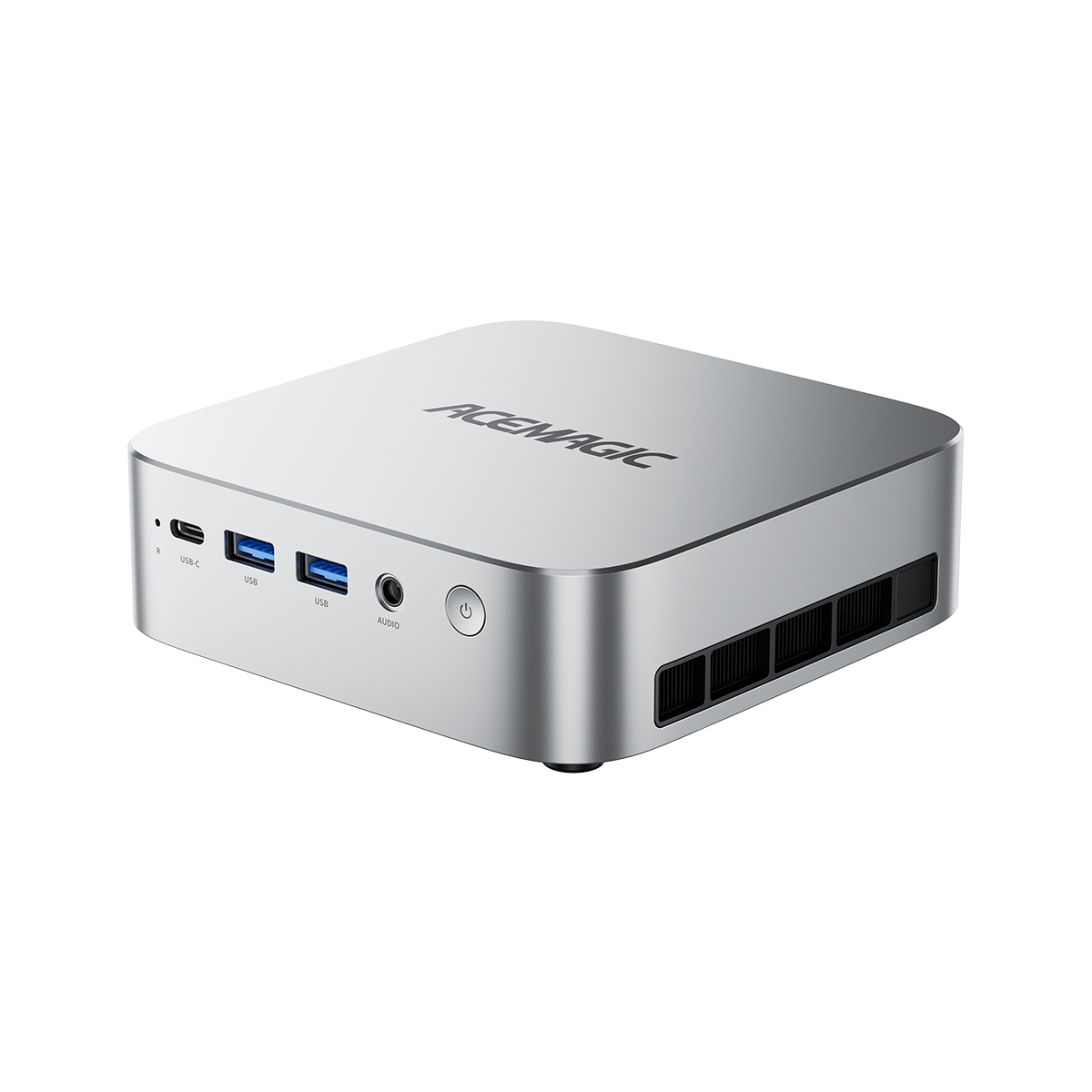
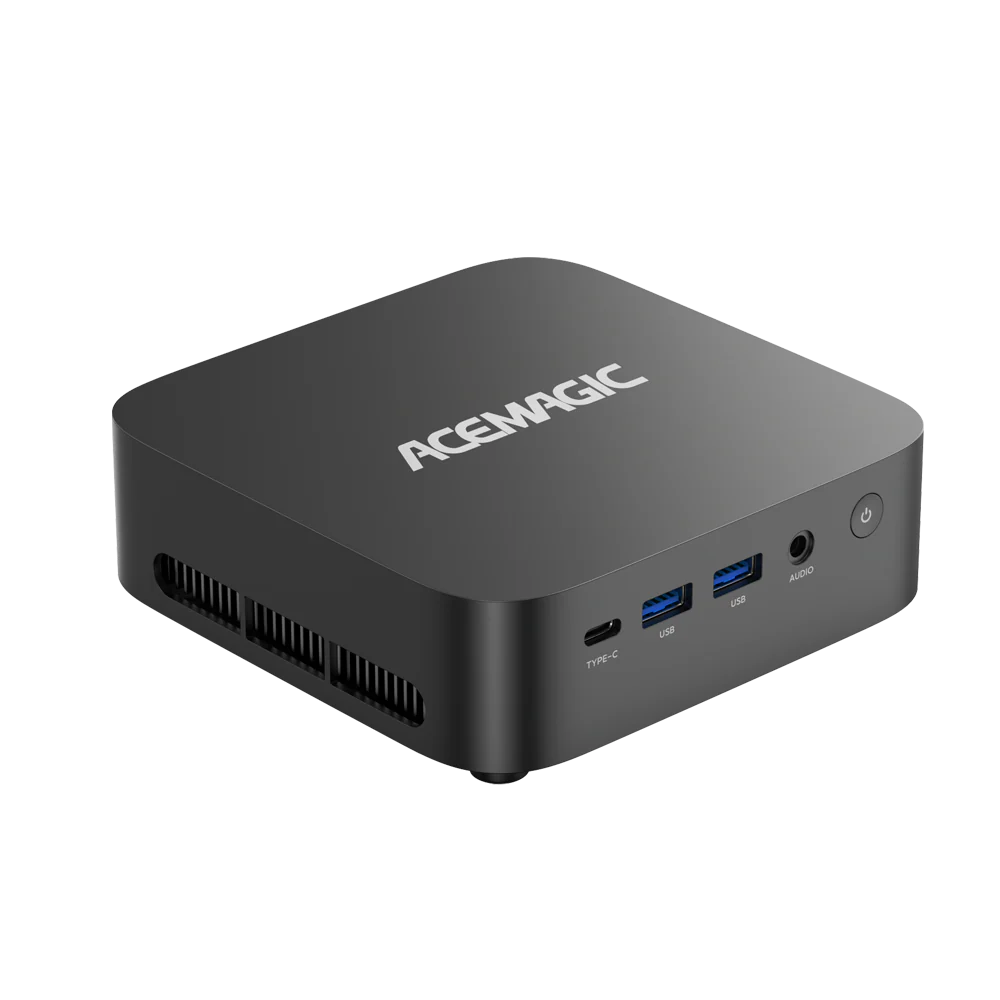
For this comparison, however, we are focusing on the ACEMAGIC M5 Core i7-14650HX because its standard SO-DIMM memory and M.2 storage make the post-purchase upgrade difference especially clear.
Mac mini M6 vs ACEMAGIC M5 i7: Detailed Differences
The currently available M5 configuration used here combines an Intel Core i7-14650HX, 32GB DDR4 memory, a 1TB PCIe 4.0 SSD and Windows 11 Pro.
Its two SO-DIMM slots support up to 64GB of RAM, while two M.2 slots support up to 4TB of total internal storage. The i7-14650HX itself has 16 cores and 24 threads.
Raw core counts do not translate directly to real-world performance between Apple Silicon and x86 Intel chips. The useful purpose of this table is to show differences in configuration, connectivity and what can still be changed after purchase.

| Feature | Mac mini M6 | ACEMAGIC M5 Core i7-14650HX |
|---|---|---|
| Price used in this guide | USD 899 starting price | USD 699, 32GB + 1TB |
| Operating system | macOS 27 | Windows 11 Pro |
| CPU | Apple M6, 12-core CPU | Intel Core i7-14650HX, 16C / 24T |
| Graphics | 12-core Apple GPU | Intel UHD Graphics |
| Starting/current memory | 16GB unified memory | 32GB DDR4-3200 |
| Maximum memory | 32GB | 64GB |
| RAM upgrade after purchase | No conventional upgrade | Yes, 2× SO-DIMM |
| Starting/current storage | 256GB | 1TB PCIe 4.0 NVMe |
| Maximum internal capacity | Up to 2TB when ordered | Up to 4TB total |
| Internal storage expansion | No removable SSD module | 2× M.2 slots |
| USB-A | None | 6× USB-A |
| High-speed USB / Thunderbolt | 3× Thunderbolt 4 rear, 2× USB-C front | USB-C 10Gbps |
| Dedicated display ports | HDMI | HDMI 2.0 + DP 1.4 |
| External displays | Up to 3 | Up to 3 × 4K60 |
| Ethernet | 2.5GbE, optional 10GbE | 1GbE |
| Wireless | Wi-Fi 7 / Bluetooth 6 | Wi-Fi 6E / Bluetooth 5.2 |
| Dimensions | 127 × 127 × 49.7 mm | 128 × 128 × 41.3 mm |
Data source: Apple Mac mini technical specifications and ACEMAGIC M5 product specifications. Accessed October 8, 2026.
Apple's current specifications confirm the M6's 16GB base memory, 32GB maximum, 256GB base SSD, Thunderbolt 4, Wi-Fi 7 and 2.5Gb Ethernet. ACEMAGIC's M5 specification confirms the i7 processor, 32GB dual-channel memory, 64GB ceiling, dual M.2 design, six USB-A ports and Windows 11 Pro.

The table shows two different design philosophies rather than two identical computers.
The M6 tightly integrates CPU, GPU and unified memory and provides more modern networking and Thunderbolt connectivity.
The M5 uses more conventional PC components, giving the owner replaceable SO-DIMM memory, standard M.2 storage and more legacy USB connectivity.

USD 699, 32GB + 1TB. Checked October 8, 2026.
View the ACEMAGIC M5USD 899 vs USD 699: Compare the Configuration You Would Actually Buy
Using the prices checked for this article on October 8, 2026:
Mac mini M6 — USD 899
- 16GB unified memory
- 256GB SSD
ACEMAGIC M5 i7 — USD 699
- 32GB RAM
- 1TB SSD
- Windows 11 Pro
The M5 is therefore USD 200 below the M6 starting price, while the listed configuration includes twice the memory capacity and four times the storage capacity.
That is useful information, but it needs an important boundary:
This is a cost-and-capacity comparison, not a performance comparison.
The two systems use different CPU architectures, graphics designs and memory architectures.
The comparison becomes more interesting when you configure the Mac with the same headline RAM and storage capacities.
As of September 2026, Hard Bargains recorded Apple's 32GB / 1TB M6 configuration at USD 1,799.
| Configuration | Observed price |
|---|---|
| Mac mini M6 — 16GB / 256GB | USD 899 |
| ACEMAGIC M5 i7 — 32GB / 1TB | USD 699 |
| Mac mini M6 — 32GB / 1TB | USD 1,799 as observed in Sept. 2026 |
Data source: prices checked for this article on October 8, 2026. The 32GB/1TB M6 row is from Hard Bargains, September 2026. Accessed October 8, 2026.
Hard Bargains also calculated Apple's memory and storage upgrade pricing separately and emphasized that barebone Windows systems should not be compared with complete Macs. That is why this guide uses a complete M5 configuration rather than a barebone price.
The more useful question is therefore not simply: Which computer has the lower base price?
It is: How much memory and storage will you actually need over the three to five years you expect to keep the machine?
With the M6, more of that decision is made at checkout.
With the M5, you can start with 32GB/1TB and later move to 64GB of memory or replace/add internal storage.
For users who do not require macOS, that upgrade path is one reason the M5 can function as a practical Mac mini substitute.
Graphics Caveat: The M5 Is Not a Gaming-Focused M6 Replacement
The M5's weakest point in this comparison is easy to identify from the specification sheet: the Core i7-14650HX version uses Intel UHD Graphics rather than a stronger Arc-class iGPU or discrete GPU.
That matters.
An independent M5 test found strong CPU performance but identified graphics performance as a significant limitation and did not recommend the system for serious gaming or heavier video-editing workloads.
The M5 therefore makes more sense for CPU-oriented work such as:
- software development and compilation;
- multiple virtual machines;
- office and business applications;
- heavy browser multitasking;
- storage-heavy workflows;
- Windows environments where RAM capacity matters more than graphics performance.
The M6 takes a different route. Apple pairs its 12-core GPU with hardware ray tracing and dedicated H.264, HEVC, ProRes, ProRes RAW and AV1 media hardware.
That makes the M6 particularly relevant for Apple-optimized creative and media workflows.
If GPU performance is one of the main reasons you are shopping for a compact desktop, the M5's lower price and memory expansion should not distract from the fact that it is primarily a CPU/productivity-focused machine.
What About Local AI and LLMs?
Local AI is one of the areas where the two platforms differ most in how they approach the problem.
The M6 combines its CPU, GPU, Neural Accelerators and unified memory in one Apple Silicon platform. Apple specifically highlights on-device AI as a major M6 use case and says the M6 Mac mini can deliver up to 13.5× faster LLM prompt processing in LM Studio than the M1 and up to 4.8× faster than the M4 in Apple's own testing. Those figures are generational Apple comparisons, not comparisons against Windows systems.
The practical limitation for the standard M6 is capacity: its unified memory tops out at 32GB.
For models that comfortably fit within that memory envelope, the Apple route can be relatively integrated and straightforward.
The Windows side is more varied.
A system like the M5 can provide up to 64GB of system memory, while higher-end Windows mini PCs can combine larger system-memory configurations with dedicated NVIDIA graphics. The M1A PRO, discussed later in this article, pairs Windows with an RTX 5060 and supports up to 96GB of DDR5 system memory.
An NVIDIA GPU also opens access to CUDA-supported AI applications and frameworks.
There is an important technical distinction, though: system RAM and GPU VRAM are not interchangeable. A Windows PC having 64GB or 96GB of system memory does not mean all of that memory is directly available to an RTX GPU. Model size, quantization, backend and whether the workload is CPU-, GPU- or hybrid-offloaded still matter.
Windows local-AI setups can therefore offer more hardware combinations, but they may also require more decisions around drivers, CUDA versions, model backends and memory allocation.
So the decision is not simply “Mac for AI” versus “Windows for AI.”
The M6 offers a tightly integrated route within its 32GB memory ceiling; Windows gives buyers more ways to combine expandable memory and NVIDIA hardware.
For model-specific testing and deeper discussion, use our Mac mini vs x86 Mini PCs for Local AI article rather than turning this buying guide into a local-AI benchmark article.
Power and Noise Matter on a Small Desk
Mini PCs often sit close to the user, which makes power efficiency and fan behavior more noticeable than on a tower placed under a desk.
Apple publishes 4W idle and 70W maximum power consumption for the base M6 Mac mini with 16GB unified memory and 256GB storage.
Apple's 2026 Mac mini acoustic documentation also reports extremely low idle and wireless-web noise figures. One important qualification is that Apple's detailed acoustic test configuration was an M5 Pro model rather than the base M6, so those exact figures should not be treated as a direct M6 noise measurement.
For the M5, we do not have an equivalent manufacturer measurement made under the same test conditions, so quoting a direct dBA comparison would be misleading.
Independent testing provides a useful qualitative reference instead. OREFOLDER reported the M5 as very quiet under light workloads, while sustained full-CPU load made the fan clearly audible. After a 20-minute all-thread workload, most CPU cores remained around the 70°C range, with some reaching the 80s.
So the practical difference is straightforward:
M6: better documented for extremely low idle power and designed around Apple's efficiency-focused integrated platform.
M5: uses an HX-class Intel processor and can become more audible when that CPU is held under sustained load.
Users placing the computer in a recording environment, bedroom or especially quiet office may care about this more than someone using it in a normal business workspace.
Which Workloads Fit Each Approach?
At this point, the decision becomes easier when you stop comparing brands and instead look at what will actually run on the machine.
Mac mini M6 makes more sense when:
- Final Cut Pro is central to your workflow. The M6 includes Apple's dedicated media hardware and runs software optimized specifically for Apple Silicon.
- You use Logic Pro.
- You develop for iPhone, iPad or macOS using Xcode.
- You already depend heavily on Apple's ecosystem and Continuity features.
- Low idle power and a tightly integrated compact system matter more than internal upgradeability.
ACEMAGIC M5 makes more sense when:
- Your required software is Windows-first or Windows-only.
- You run multiple virtual machines or memory-heavy development environments. Starting with 32GB and being able to reach 64GB later can be useful.
- Your work is CPU-heavy rather than GPU-heavy.
- You have many conventional USB peripherals. The M5 includes six USB-A ports, which can reduce dependence on hubs.
- You want to change RAM or internal SSD capacity after purchase.
That is the point where a Windows mini PC alternative to the Mac mini becomes more than a cheaper box—it offers a different ownership model.
Mac mini M5 Pro vs ACEMAGIC M1A PRO: Two Different High-End Routes
If your budget moves above the standard M6 into the Mac mini M5 Pro range, the comparison changes.
Apple's M5 Pro Mac mini starts at USD 1,699 with 24GB of unified memory and 512GB of storage. The M5 Pro can be configured with up to an 18-core CPU, 20-core GPU, 64GB of unified memory and 8TB of storage, while replacing the M6 model's Thunderbolt 4 with Thunderbolt 5.
At this price level, some Windows buyers are no longer looking only for an upgradeable office mini PC. They may also want a dedicated GPU.
The ACEMAGIC M1A PRO is currently listed at USD 1,499 with an Intel Core i9-13900HK, GeForce RTX 5060, 32GB DDR5 and a 1TB SSD. The product page currently shows it in stock with Add to Cart and U.S. delivery in 3–5 business days.
That places its current price about USD 200 below the M5 Pro starting price.
The useful difference here is not a claim of identical performance. The two computers use fundamentally different graphics and memory designs:
- M5 Pro: Apple integrated CPU/GPU with unified memory.
- M1A PRO: Intel CPU plus a dedicated NVIDIA GeForce RTX 5060.
| Feature | Mac mini M5 Pro | ACEMAGIC M1A PRO |
|---|---|---|
| Starting/current price | USD 1,699 | USD 1,499 |
| CPU | M5 Pro, 15-core standard; up to 18-core | Core i9-13900HK, 14C / 20T |
| Graphics | 16-core Apple GPU standard; up to 20-core | GeForce RTX 5060 dedicated GPU |
| Starting/current memory | 24GB unified | 32GB DDR5-5200 |
| Maximum memory | 64GB | 96GB |
| Memory expansion later | Fixed configuration | 2× SO-DIMM |
| Starting/current storage | 512GB | 1TB NVMe |
| Maximum / expansion | Up to 8TB when ordered | 2× M.2, up to 4TB total |
| High-speed connection | 3× Thunderbolt 5 | USB4 40Gbps |
| USB-A | None | 6× USB-A |
| Ethernet | 2.5GbE, optional 10GbE | 2.5GbE |
| Wireless | Wi-Fi 7 / Bluetooth 6 | Wi-Fi 7 / Bluetooth 5.4 |
| Dimensions | 127 × 127 × 49.7 mm | 166.7 × 166.9 × 160.9 mm |
| Operating system | macOS | Windows 11 Pro |
| Main hardware distinction | Integrated Apple pro platform | Dedicated RTX 5060 + replaceable RAM/SSDs |
Data source: Apple Mac mini technical specifications and the ACEMAGIC M1A PRO product page. Accessed October 8, 2026.
There is also a significant size difference: the Mac mini remains much smaller, while the M1A PRO uses a larger chassis to accommodate its discrete GPU and cooling system.
So why consider one over the other?
If your professional workflow revolves around macOS, Final Cut, Logic, Xcode or applications heavily optimized for Apple Silicon, the M5 Pro follows naturally from the M6.
If you need Windows and specifically want NVIDIA graphics, CUDA-compatible software, replaceable DDR5 memory or conventional internal SSD expansion, the M1A PRO represents a different compact-desktop approach in roughly the same price tier.
The RTX 5060 is the differentiator here—not a claim that the M1A PRO and M5 Pro deliver the same performance.

USD 1,499. Checked October 8, 2026. In stock when checked.
View the ACEMAGIC M1A PROQuick Decision Checklist
Choose the Mac mini M6 if:
- You need Xcode, Final Cut Pro, Logic Pro or another macOS-specific workflow.
- You are already invested in Apple's ecosystem.
- Apple's integrated GPU and media engines match your creative work.
- A maximum of 32GB unified memory is enough for the lifetime of the machine.
- You are comfortable deciding memory and internal storage when you buy it.
- Very low idle power matters more than future internal upgrades.
Consider the ACEMAGIC M5 if:
- You need Windows.
- You want 32GB RAM and 1TB storage at USD 699.
- You may want to increase RAM to 64GB later.
- You want replaceable/additional M.2 storage.
- You use several USB-A peripherals.
- Your workload is more CPU-, productivity-, VM- or development-focused than GPU-focused.
Consider the ACEMAGIC M1A PRO if:
- You need a dedicated NVIDIA GPU.
- CUDA or NVIDIA-accelerated applications matter to your workflow.
- You want 32GB DDR5 today with room for up to 96GB later.
- You want replaceable internal SSDs.
- You are already shopping around the USD 1,500 to USD 1,700 compact workstation / performance-desktop range.
Mac mini M6 or Windows Mini PC: Final Take
The Mac mini M6 vs Windows mini PC decision should not start with benchmark charts.
It should start with software.
If macOS itself is part of the reason you are buying the computer, the M6 makes the decision simple. Windows specifications, lower prices or upgradeable memory do not replace software that you actually need.
If Windows works for your entire workflow, the comparison changes.
At the prices used in this guide, the USD 699 M5 includes 32GB RAM and a 1TB SSD, compared with the USD 899 entry M6 with 16GB and 256GB. More importantly for long-term ownership, the M5 can later move to 64GB of RAM and additional internal storage, while the standard M6 tops out at 32GB and requires its memory and internal-capacity decisions to be made at purchase.
That does not make the M5 a graphics-focused replacement. Its Intel UHD Graphics are a real limitation. Buyers who move into workloads requiring NVIDIA graphics should instead look at a different class of Windows system.
That is where the USD 1,499 M1A PRO with RTX 5060 becomes relevant against the USD 1,699-starting Mac mini M5 Pro: not because the two systems should be treated as performance equivalents, but because one offers Apple's integrated pro platform while the other offers a dedicated NVIDIA GPU and PC-style memory and storage expansion.
The better choice is therefore the one whose software, hardware constraints and future upgrade path match the way you actually plan to use it.
Frequently Asked Questions
What is a Windows equivalent to the Mac mini?
There is no single Windows equivalent to the Mac mini because Windows mini PCs vary widely in processor, graphics, memory and upgrade design. For Windows productivity, development and upgradeability, the ACEMAGIC M5 is one option; users who specifically need dedicated NVIDIA graphics should consider a different class of system such as the M1A PRO.
Is the ACEMAGIC M5 a good Mac mini alternative?
It can be a practical Mac mini alternative if you do not need macOS and prioritize Windows compatibility, memory capacity and future upgrades. The i7 model used here has 32GB RAM and 1TB storage, supports up to 64GB RAM and includes two M.2 slots. Its Intel UHD Graphics make it less suitable for GPU-heavy workloads.
Can you upgrade the RAM in the Mac mini M6?
Not as a normal post-purchase upgrade. The M6 Mac mini is offered with 16GB unified memory and can be configured with 24GB or a maximum of 32GB when purchased.
Can you upgrade the internal SSD in the M6 Mac mini?
The 2026 M6 no longer uses the removable storage module found in the M4 generation. Teardowns show its NAND soldered to the logic board, so there is no normal internal drop-in upgrade. External Thunderbolt or USB-C SSDs remain an option for adding storage later.
Is the M5 cheaper than the Mac mini M6?
Using the prices checked for this article, the ACEMAGIC M5 i7 with 32GB/1TB is USD 699 while the Mac mini M6 starts at USD 899 with 16GB/256GB. That is a price-and-capacity comparison, not a statement that the two systems provide identical performance.
Is the M1A PRO the same performance as the Mac mini M5 Pro?
This article does not make that claim. The relevant hardware difference is that the Mac mini M5 Pro uses Apple's integrated GPU and unified-memory architecture, while the M1A PRO uses an Intel processor with a dedicated GeForce RTX 5060 and replaceable DDR5 memory. Workload-specific performance requires workload-specific testing.