
Strix Halo 64GB vs 96GB vs 128GB: Which Memory Size Is Best for Local AI?
If your local AI workload mostly consists of 7B or 14B models, I would not pay extra for 128GB. 64GB gives you plenty of room for those models, along with normal development tools and a RAG setup. The case for 128GB gets much stronger once you move into 32B, 70B, or larger models — especially if you want longer context windows or multiple models loaded at the same time.

What makes the Strix Halo 128GB mini PC interesting is not just the capacity. It is how that memory connects to the CPU and GPU. Unlike a conventional PC with separate system RAM and GPU VRAM, Strix Halo uses a shared LPDDR5X memory pool. The Ryzen AI Max+ 395 reaches that pool through a 256-bit interface with 256 GB/s of theoretical bandwidth.
Capacity largely determines which models can fit comfortably, and bandwidth largely determines how fast they run. Here is what each tier means in practice, and how to pick the right one for your workload.
Quick Answer
- 7B–14B models, coding, chat → 64GB. Comfortable for daily AI use with headroom for dev tools and a small RAG stack.
- 32B models + longer context → 96GB. A middle-tier configuration with more headroom than 64GB, without the full cost of 128GB.
- 70B / 100B+ MoE / long context → 128GB. For serious local AI with large models, multiple workloads, or 32k+ context windows.
Strix Halo 64GB vs 96GB vs 128GB
Before diving into the technical details, here is how the three memory tiers compare for common local AI workloads:
| If you | Recommended |
|---|---|
| Run 7B–14B models, coding, chat | 64GB |
| Run 32B models + longer context | 96GB |
| Run 70B-class / 100B+ MoE models | 128GB |
| Want the largest possible unified GPU memory pool | Strix Halo 128GB |

96GB configurations sit between the two extremes: they provide significantly more headroom than 64GB while avoiding the full cost of a 128GB build. For users who know they need more than 64GB but are not yet sure they need 128GB, 96GB can be a reasonable middle ground.
For the same model and workload, 64GB, 96GB, and 128GB configurations have broadly similar memory-bandwidth-limited inference performance. The advantage of more memory is primarily about capacity and headroom — not a raw speed increase once a model is loaded.
Why Strix Halo's Unified Memory Matters
AMD's Ryzen AI Max+ 395 processor, codenamed “Strix Halo,” combines a 16-core Zen 5 CPU with Radeon 8060S graphics (40 compute units, RDNA 3.5) and an XDNA 2 NPU. It supports up to 128GB of LPDDR5X-8000 memory through a 256-bit interface, delivering up to 256 GB/s of theoretical memory bandwidth. Total AI performance reaches up to 126 TOPS across the CPU, GPU, and NPU. Rather than separating system memory from dedicated VRAM, Strix Halo uses a unified physical memory pool that can be accessed by both the CPU and GPU.
Source: AMD Ryzen AI Max+ 395 official processor specifications — 16C/32T, up to 5.1 GHz, Radeon 8060S 40 CU, NPU up to 50 TOPS, up to 126 TOPS overall AI, up to 128GB LPDDR5X-8000, 256-bit, 256 GB/s. amd.com. Accessed September 2026.

In a traditional PC, the CPU uses system RAM (DDR4 or DDR5) and a discrete GPU uses dedicated VRAM (GDDR6). These are physically separate memory pools. An RTX 4060 with 8GB VRAM cannot fit a 32B model entirely in VRAM, regardless of how much system RAM the PC has. Layer offloading to the CPU is possible with frameworks like llama.cpp, but it dramatically slows inference.
Strix Halo's unified memory architecture addresses this bottleneck — the GPU accesses the same physical memory pool as the CPU, so large models load without splitting across separate memory tiers. Compared to a typical Mini PC with 6 to 8 CPU cores, a smaller integrated GPU (8 to 16 compute units), and DDR5 SO-DIMM memory on a 128-bit interface (89.6 GB/s), Strix Halo offers roughly 2.8x the memory bandwidth and a much larger GPU.
The trade-off: Strix Halo memory is soldered LPDDR5X — it cannot be upgraded after purchase. Your configuration is fixed at purchase time, which is why choosing the right capacity upfront matters more than with a traditional Mini PC where you can add RAM later.
How Much RAM Do You Need for Local AI?
Before choosing between 64GB, 96GB, and 128GB, it helps to understand how much memory different LLMs actually consume. The table below shows approximate GGUF weight sizes at common quantization levels — not total runtime memory. Actual runtime usage is higher because it includes KV cache, operating system overhead, inference framework buffers, and any parallel applications.
| Local AI workload | Recommended memory |
|---|---|
| 7B–14B LLM (Q4) | 32–64 GB |
| 30B–32B Q4 | 64 GB |
| 32B Q8 | 96 GB |
| 70B Q4 | 96–128 GB |
| 100B+ MoE Q4 | 128 GB |
| Long-context / multi-model | 128 GB+ |
General guidance for local LLM memory requirements. Actual needs vary with quantization, context length, KV cache size, inference backend, and concurrent applications.

Model Weight Reference Table
| Model | Quantization | Approx. Model Weight Size | 64GB | 96GB | 128GB |
|---|---|---|---|---|---|
| Qwen 3.5 7B | Q4_K_M | ~5 GB | Comfortable | Comfortable | Comfortable |
| Qwen 3.5 14B | Q4_K_M | ~10 GB | Comfortable | Comfortable | Comfortable |
| Qwen 3.5 30B-A3B (MoE) | Q4_K_M | ~18 GB | Comfortable | Comfortable | Comfortable |
| Qwen 3.5 32B (Dense) | Q4_K_M | ~20 GB | Comfortable | Comfortable | Comfortable |
| Qwen 3.5 32B (Dense) | Q8_0 | ~35 GB | Tight | Comfortable | Comfortable |
| 70B-class (Dense) | Q4 | ~35–45 GB | Tight | Comfortable | Comfortable |
| Qwen 3.5 122B-A10B (MoE) | Q4_K_P | ~79 GB | Not practical | Tight | Comfortable |
Approximate GGUF weight sizes; actual file size varies by quantization format and specific build. Qwen 3.5 122B-A10B Q4_K_P figure based on community GGUF builds of approximately 79 GB. Hugging Face community GGUF repository. 70B-class figure is a typical range for 4-bit dense models; actual size depends on quantization format and model architecture. Runtime memory is higher due to KV cache, OS, and framework overhead.
A model being able to fit in memory does not guarantee good inference performance. For 70B-class models, 96GB can provide sufficient memory capacity for many Q4 configurations, while 128GB provides additional headroom for longer contexts, larger KV caches, and other applications.
What Can Strix Halo 128GB Run Locally?
This is the question most buyers are really asking: what models and workloads can you actually run on a Strix Halo 128GB Mini PC — and how does that change at 64GB or 96GB?
For a deeper look at real-world Strix Halo Local AI performance, including Qwen 3.5 inference, Ollama, ROCm, AI Agents, and RAG workflows, see our AMD Strix Halo Mini PC for Local AI guide.
| Workload | 64GB | 96GB | 128GB |
|---|---|---|---|
| Ollama 7B–14B | Comfortable | Comfortable | Comfortable |
| Coding assistants | Comfortable | Comfortable | Comfortable |
| RAG (small to medium) | Comfortable | Comfortable | Comfortable |
| 32B Q4 | Comfortable | Comfortable | Comfortable |
| 32B Q8 | Tight | Comfortable | Comfortable |
| 70B Q4 | Tight | Comfortable | Comfortable |
| 100B+ MoE Q4 | Not practical | Tight | Comfortable |
| Multiple models simultaneously | Tight | Comfortable | Comfortable |
| Long-context AI (32k+ tokens) | Tight | Comfortable | Comfortable |
Comfortable = fits with room for OS, tools, and KV cache. Tight = model weights fit but with limited headroom for other workloads or long context. Not practical = model weights alone approach or exceed total memory. Actual support depends on quantization, context length, KV cache, backend, and available system memory.
Model Tiers on Strix Halo Local AI
7B–14B models — Easy on any tier. Perfect for everyday AI tasks: coding assistance, chat, summarization, RAG, and AI assistants. These run comfortably on 64GB, 96GB, or 128GB Strix Halo configurations.
30B–32B models — Sweet spot for serious local AI. Ideal for coding agents, reasoning tasks, long-context work, and local knowledge bases. At Q4, these fit comfortably in 64GB; at Q8, they benefit from 96GB or 128GB for additional headroom.
70B models — Possible with quantization. A typical 70B-class model in 4-bit quantization may require roughly 35–45GB for model weights alone, depending on the quantization format and model architecture. 96GB can handle most Q4 70B builds with reasonable headroom, while 128GB gives you more room for longer contexts and additional workloads.
100B+ MoE models — where 128GB becomes particularly interesting. Mixture-of-Experts models like Qwen 3.5 122B-A10B have large total parameter counts (122B total) but only activate a subset during inference (10B activated). Despite the low active parameter count, you still need memory for the full model weights —the model's full set of quantized weights needs to be available to the inference system. A Q4_K_P GGUF build is roughly 79 GB. This is exactly the scenario where 128GB of unified memory provides practical headroom that 64GB or 96GB cannot match.
Software Ecosystem
Strix Halo Mini PCs work with the most popular local AI tools and frameworks:
- Ollama — automatic GPU offloading, works with ROCm or Vulkan backend
- LM Studio — GUI-based model management, supports GGUF models
- llama.cpp — native Vulkan and ROCm backend support, most flexible configuration
- Open WebUI — web interface for Ollama, RAG, document chat, multi-model
- ComfyUI — image generation with Stable Diffusion / Flux workflows
- Docker — containerized AI services, RAG pipelines, model serving
- RAG frameworks — LangChain, LlamaIndex, ChromaDB, Qdrant
- Coding agents — Continue.dev, Aider, OpenHands with local model backends
Software compatibility reflects community-reported results on Strix Halo hardware. Actual performance and compatibility may vary by software version, backend (ROCm vs Vulkan), operating system, and model format. See llama.cpp documentation and Strix Halo toolboxes. Accessed September 2026.
Strix Halo 128GB vs Traditional 128GB Mini PC
The discussion around Strix Halo 128GB has made many users aware that memory capacity is the deciding factor for local AI. But Strix Halo is not the only way to get 128GB in a compact form factor. A traditional Mini PC with DDR5 SO-DIMM slots can also reach 128GB — but the architecture is fundamentally different.
Strix Halo 128GB
- 128GB LPDDR5X-8000 unified memory (CPU + GPU share one physical pool)
- 256 GB/s theoretical bandwidth (256-bit interface)
- Large 40 CU GPU accesses the shared pool directly
- Compact form factor, lower power draw
- Memory is soldered — not upgradable
Traditional 128GB Mini PC
- 128GB DDR5 SO-DIMM (system memory, shared with smaller iGPU)
- 89.6 GB/s bandwidth (128-bit interface)
- Smaller iGPU (8 to 16 CU) shares system memory at lower bandwidth
- RAM is typically user-upgradable — start small, expand later
- Lower bandwidth can limit memory-bound LLM inference
Both architectures share system memory between CPU and iGPU — the difference is scale. Strix Halo pairs a large 40 CU GPU with high-bandwidth LPDDR5X (256-bit, 256 GB/s). A traditional DDR5 Mini PC pairs a smaller iGPU with lower-bandwidth DDR5 (128-bit, 89.6 GB/s). For running 7B to 14B models, the bandwidth difference has limited practical impact. For running 32B+ dense models where memory bandwidth is a primary bottleneck during generation, Strix Halo's LPDDR5X-8000 provides a measurable advantage.

Strix Halo vs Mac Mini for Local AI
For users researching local AI hardware, the Mac Mini is the most common alternative to a Strix Halo Mini PC. Both use unified memory architectures, but they differ in software ecosystem and platform flexibility.
| Feature | Strix Halo 128GB | Mac mini |
|---|---|---|
| Unified memory | Up to 128GB LPDDR5X-8000 | Depends on configuration |
| Memory upgrade | No (soldered) | No (soldered) |
| Memory bandwidth | 256 GB/s | Varies by chip configuration |
| GPU architecture | Radeon 8060S (RDNA 3.5, 40 CU) | Apple GPU |
| AI software | ROCm / Vulkan / llama.cpp | MLX / Metal / llama.cpp |
| Windows support | Yes | No |
| Linux support | Yes | Limited / platform-specific |
| Large local models | Strong | Strong |
Comparison based on AMD Ryzen AI Max+ 395 specifications and publicly available Apple Silicon specifications. amd.com. Accessed September 2026. Mac mini configurations and capabilities vary by model and chip.
The better choice depends less on raw memory capacity and more on your software ecosystem. The Mac Mini benefits from a more mature MLX ecosystem and widespread developer support. Strix Halo offers broad Windows and Linux support, with software compatibility depending on the specific distribution, driver stack, and AI backend. For users who need a Windows-based AI workstation, Strix Halo is the clear choice. For users already embedded in the Apple ecosystem, the Mac Mini remains a strong option.
For a broader platform comparison covering Strix Halo, NVIDIA DGX Spark, and Gorgon Halo, see our guide to DGX Spark vs Strix Halo vs Gorgon Halo.
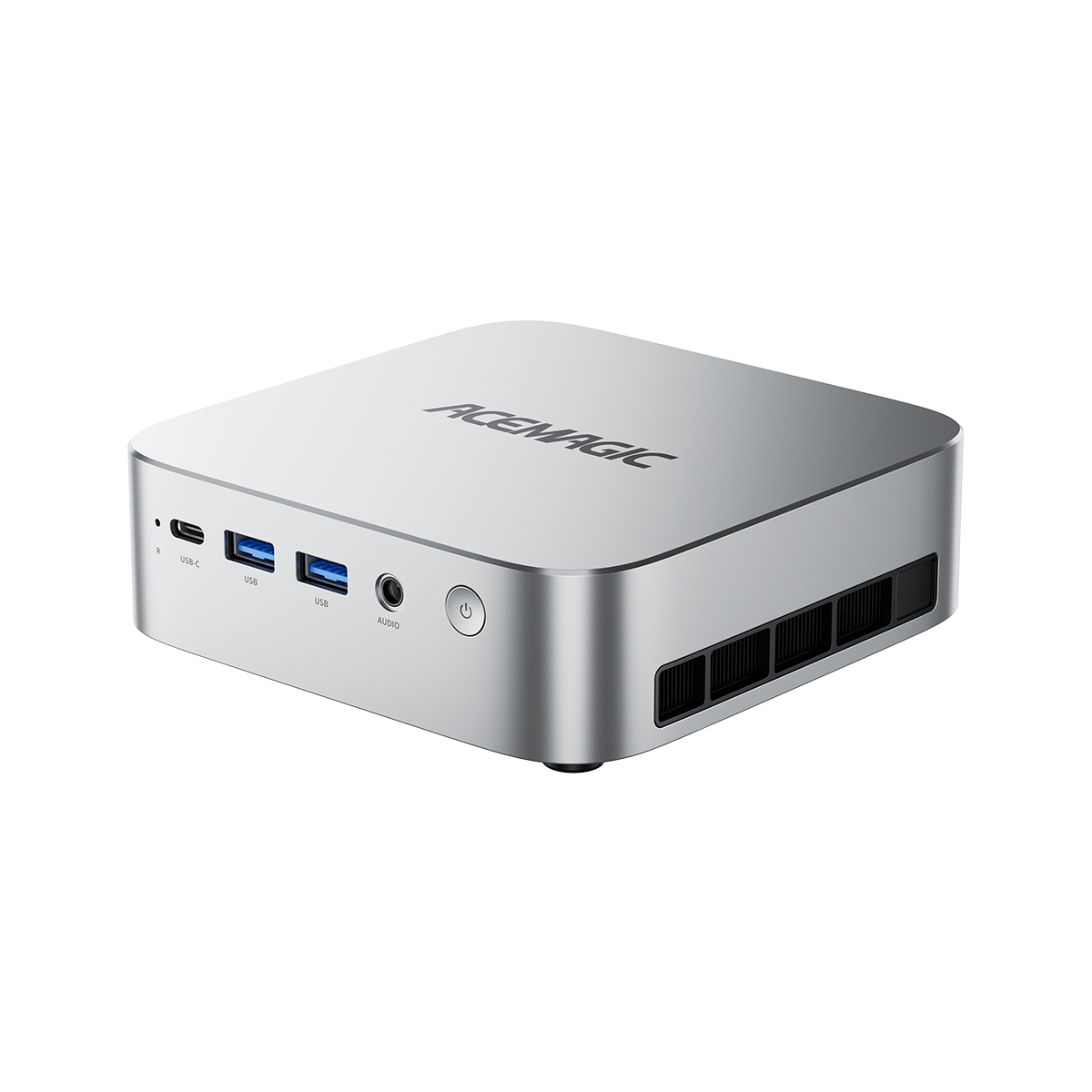
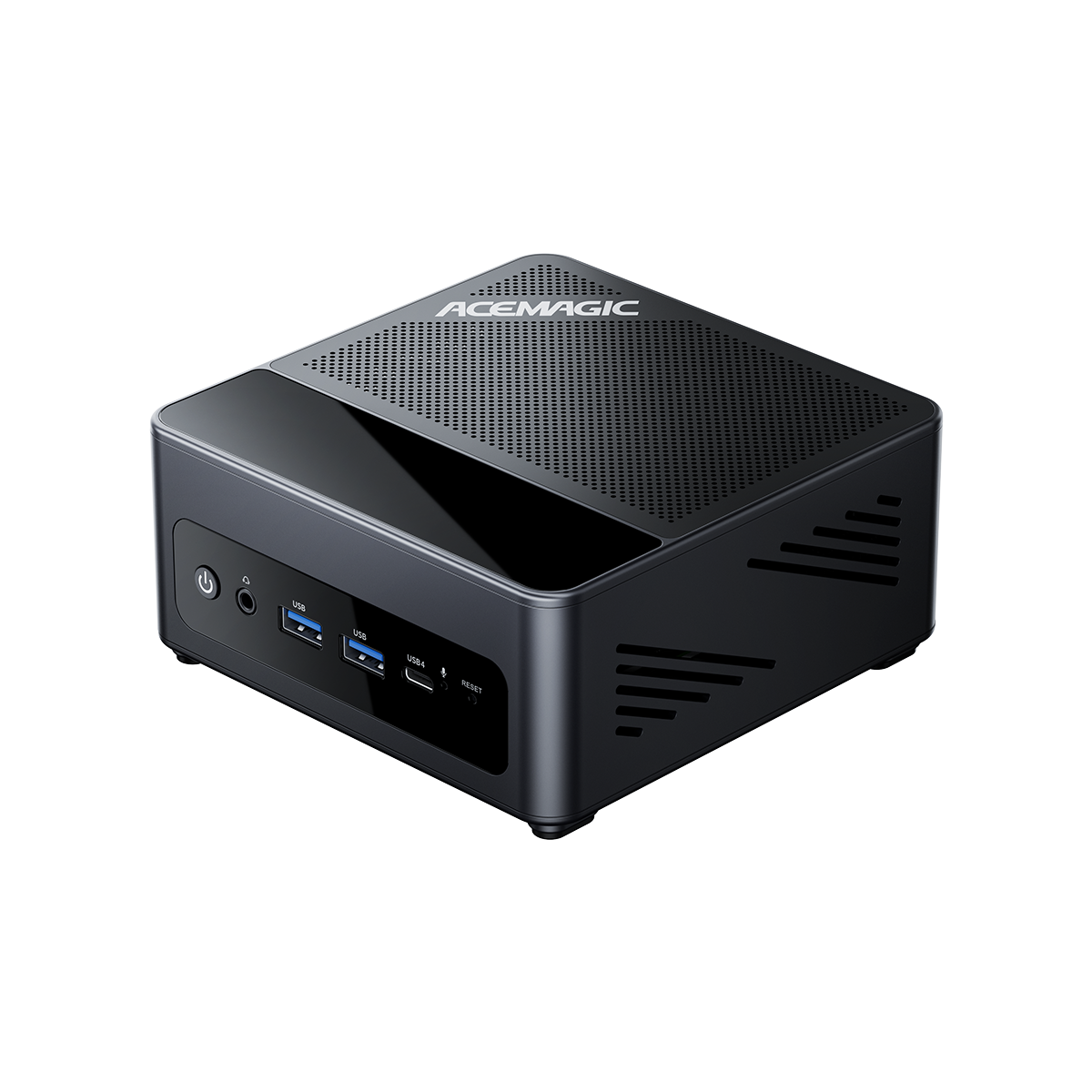
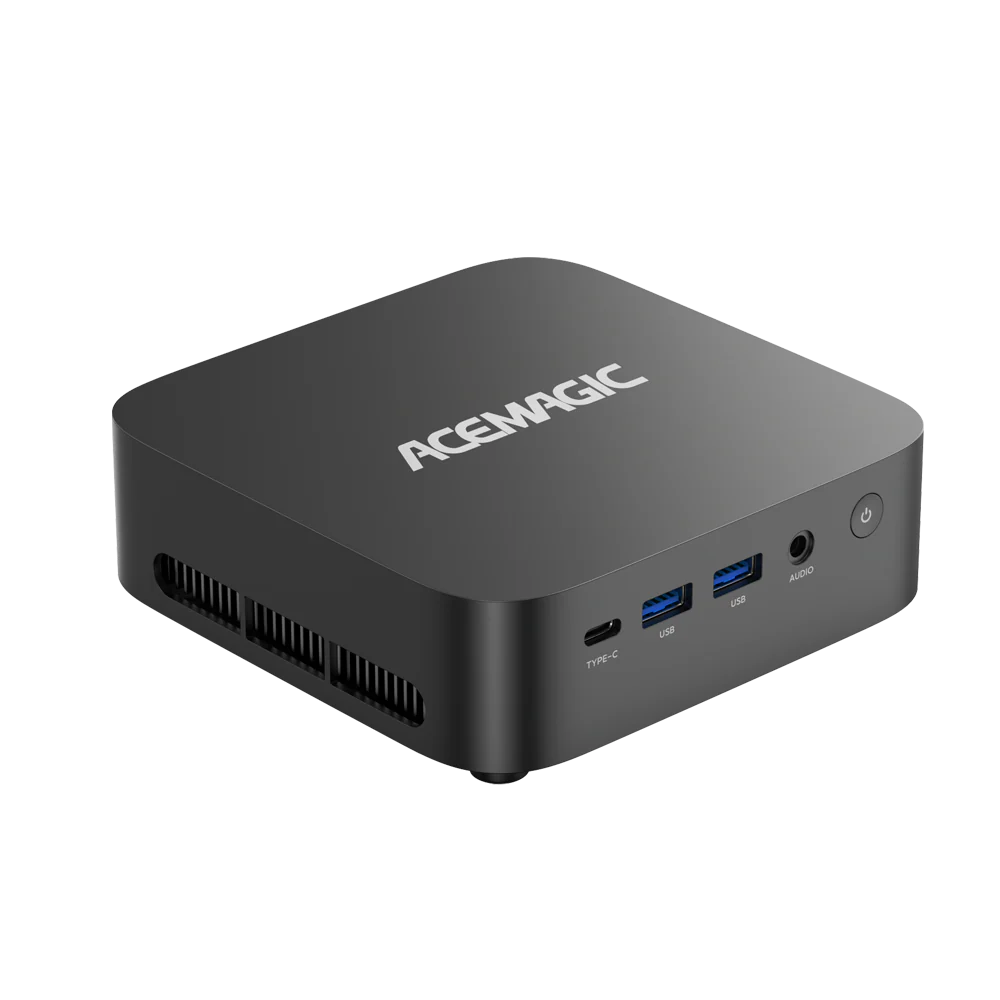
ACEMAGIC M1A PRO+ — Strix Halo Mini PC with up to 128GB Unified Memory
The ACEMAGIC M1A PRO+ combines AMD Ryzen AI Max+ 395 with Radeon 8060S graphics and up to 128GB LPDDR5X unified memory, making it a compact option for users who want to run larger local AI models without moving to a full-size workstation.
Best for: Strix Halo LLM inference, AI development, coding, RAG, content creation, and GPU-accelerated workloads.
- Memory: Up to 128GB LPDDR5X-8000
- CPU: Ryzen AI Max+ 395 (16C/32T Zen 5, up to 5.1 GHz)
- GPU: Radeon 8060S, 40 CU, RDNA 3.5
- Memory bandwidth: 256 GB/s (256-bit)
- NPU: Up to 50 TOPS (up to 126 TOPS platform AI)
If you have landed on Strix Halo as the right platform for your local AI workflow — whether for Windows compatibility, Linux flexibility, or the 40 CU Radeon GPU — the next question is which configuration and which Mini PC to buy. The ACEMAGIC M1A PRO+ pairs the Ryzen AI Max+ 395 with up to 128GB of unified LPDDR5X in a compact form factor.
Is Strix Halo 128GB Worth It for Local AI?
Choose 64GB if you:
- Primarily run 7B to 14B models for chat and coding
- Use short to medium context windows (4k to 8k tokens)
- Run one model at a time, not a full AI stack
- Want the most cost-effective entry into Strix Halo
Choose 96GB if you:
- Regularly run 32B models at Q4 quantization
- Maintain a small RAG pipeline with one LLM and one embedding model
- Want more headroom than 64GB without paying for 128GB
Choose 128GB if you:
- Regularly run 70B-class models or 100B+ MoE models
- Need Q8 quantization for higher-quality output on large models
- Run multiple AI models, embedding models, and vector databases simultaneously
- Process long documents with 32k to 64k context windows
- Want a no-compromise Strix Halo 128GB AI workstation in Mini PC form
128GB gives you substantially more headroom for 70B-class models, longer contexts, and additional workloads. It is worth it when memory capacity is your bottleneck — if you keep running out of memory when extending context or loading larger models, 128GB directly solves that. If you have never hit a memory ceiling with your current AI workflow, 64GB remains the smarter buy.
Frequently Asked Questions
Is Strix Halo 128GB worth it for local AI?
For 7B–14B models, no — 64GB is plenty. 128GB starts to make sense when you regularly load 32B or larger models, push context lengths above 16k, or keep several AI workloads running at once.
Can Strix Halo run 70B LLMs locally?
Yes, with 4-bit quantization. A typical 70B-class model in Q4 may require roughly 35–45GB for model weights alone, before KV cache and OS overhead. While 96GB can handle this with reasonable headroom, 128GB provides additional room for longer contexts and other workloads. Performance will be slower than a multi-GPU workstation due to the 256 GB/s bandwidth ceiling, but the model loads and runs — which is not possible on most consumer GPUs with 24GB VRAM or less without layer offloading.
Is 128GB unified memory the same as 128GB VRAM?
No. UMA frame-buffer allocation is not the same thing as physical VRAM. Strix Halo uses a unified physical memory pool, and some systems allow a large portion of that pool to be reserved for graphics through BIOS/UEFI settings. A 96GB UMA setting on a 128GB system does not turn it into a GPU with 96GB of dedicated VRAM. The actual capacity available for GPU workloads depends on OS reservation, firmware settings, and runtime demands.
What is the difference between Strix Halo 64GB and 128GB?
Capacity, not speed. Both configurations have similar memory-bandwidth-limited inference performance for the same model. The 128GB advantage is primarily about what you can load: larger models, more models simultaneously, and longer context windows. If your models fit in 64GB, there is no performance benefit to 128GB.
How much RAM do I need for local AI?
It depends on the models you want to run. 7B–14B models work well with 32–64GB. 32B dense models at Q4 need at least 64GB; at Q8, 96GB is more comfortable. 70B-class models at Q4 typically need 96–128GB. 100B+ MoE models and long-context workloads benefit most from 128GB or more.
Does Strix Halo support 256GB?
No. The Ryzen AI Max+ 395 platform supports a maximum of 128GB LPDDR5X unified memory — 256GB is not available on Strix Halo. The memory is soldered, so whatever capacity you buy at purchase time is what you have permanently. If you need more than 128GB, the realistic path is a multi-GPU workstation or dedicated AI server.
Conclusion
For most local AI users, 64GB is still the sensible starting point. It handles 7B–14B models comfortably with room to spare for development tools and a RAG stack.
96GB is a reasonable middle tier for users moving into 32B models or longer context work. And 128GB is for anyone who regularly works with 70B-class dense models, 100B+ MoE models, or multi-model setups where memory capacity is the bottleneck.
More memory does not automatically mean more tokens per second. What it does is remove the point where you have to ask, "Will this model actually fit?"
References
- AMD. "AMD Ryzen AI Max+ 395 Processor Specifications." Official product page — 16C/32T, up to 5.1 GHz, Radeon 8060S 40 CU, NPU up to 50 TOPS, up to 126 TOPS overall AI, up to 128GB LPDDR5X-8000, 256-bit, 256 GB/s. Accessed September 2026. amd.com — Ryzen AI Max+ 395
- AMD. "AMD Ryzen AI 300 Series Processors." Official product family page. Accessed September 2026. amd.com — Ryzen AI 300 Series
- Qwen 3.5 122B-A10B community GGUF builds. Hugging Face repository — Q4_K_P approximately 79 GB. Accessed September 2026. huggingface.co — Qwen3.5-122B GGUF
- r/LocalLLaMA Community. "Strix Halo LLM benchmark discussions." Community benchmark logs, llama.cpp, ROCm / Vulkan. Accessed September 2026. reddit.com/r/LocalLLaMA
- kyuz0. "AMD Strix Halo Toolboxes." ROCm setup guides and llama.cpp build configurations. Accessed September 2026. github.com/kyuz0/amd-strix-halo-toolboxes