
What Is FSR? FSR 4.1 vs DLSS and Your AMD Mini PC Support FSR 4.1?
Does your AMD mini PC actually support FSR 4.1? A Radeon logo or a Ryzen processor name is not enough to answer that. Two AMD mini PCs can offer different FSR versions, even when their cases and game menus look similar.
FSR is AMD's family of gaming technologies for reconstructing images and, in supported implementations, generating frames. This guide explains what FSR does, how it compares with DLSS, and when it helps on integrated Radeon graphics. Start with the quick check below, then use the compatibility table for your exact configuration.
Quick compatibility check
- Ryzen AI 9 300/400 or Ryzen AI Max 300/400: included in AMD's current FSR 4.1 platform support. Your driver and game still need to support the relevant path.
- Already happy with your games at native resolution: keep that as your baseline. FSR 4.1 support alone is not a reason to replace a suitable PC.
- Third-party FSR files or patches: a separate route with project-specific requirements. Some iGPU paths are experimental, and they are not an AMD compatibility guarantee.
Full hardware details and sources are in the compatibility section below.
Note: This guide focuses on AMD's official FSR Upscaling 4.1. Third-party mods are covered later in the article.

What does FSR mean in gaming?
FSR stands for FidelityFX Super Resolution in games.
Imagine a game displaying at 1920 x 1080 while rendering its 3D scene at 1280 x 720. The GPU has fewer pixels to render, and the upscaler reconstructs the final 1080p image. That saves some rendering work, but reconstruction itself takes time and can introduce visual artifacts.
Upscaling and frame generation are different
Upscaling changes how a rendered frame is produced. Frame generation inserts additional frames between rendered frames to improve visible smoothness. A higher displayed FPS with generated frames does not mean the game is processing your inputs at that same rate.
FSR versions and their core differences
This is a sequence of capabilities, not a promise that each PC supports every row. See the AMD SDK overview for integration context.
| Generation | Main change | What it means for a player |
|---|---|---|
| FSR 1 | Spatial upscaling from the current image | A lightweight implementation also used by some emulators |
| FSR 2 | Temporal reconstruction using frame history and motion data | Better reconstruction potential, with results dependent on the game's integration |
| FSR 3 | Adds frame generation alongside temporal upscaling | Generated frames and rendered frames must be judged separately |
| FSR 3.1 | Decouples frame generation from upscaling | Developers can combine its frame generation with another compatible upscaler |
| FSR 4 and 4.1 | Machine-learning upscaling, now branded FSR Upscaling | Version and hardware requirements differ from earlier FSR implementations |
So, is FSR frame generation? Sometimes the menu includes both, but the terms are not interchangeable. Read the separate upscaling and frame-generation settings before comparing results.
How does FSR work on an AMD mini PC?
It renders fewer pixels, then rebuilds the image.
An AMD APU combines CPU cores and integrated Radeon graphics in one processor. Those graphics share system memory.
Keep the display at its native resolution when using in-game FSR, then select an upscaling preset. The following figures illustrate common FSR 3 scaling ratios at a 1080p output; individual games, dynamic resolution and newer implementations can differ.

| Mode | Illustrative internal resolution | What to expect |
|---|---|---|
| Native AA | 1920 x 1080 | Anti-aliasing at native resolution; no upscaling gain |
| Quality | 1280 x 720 | A sensible first comparison against native rendering |
| Balanced | About 1129 x 635 | Less input detail in exchange for a lower rendering workload |
| Performance | 960 x 540 | A substantial reduction in input detail; inspect motion carefully |
Source: AMD FSR 3 quality modes. These are resolution examples, not measured FPS results. gpuopen.com.
At a 1080p output, Performance mode starts with much less detail than native rendering. Fine fences, hair and foliage are useful places to inspect. Raising sharpening may make edges look stronger, but it cannot restore information that was never rendered.

Our recommended starting point is Quality with frame generation off. Repeat the same demanding scene at native resolution and with FSR. Keep the option that gives you a worthwhile performance gain without distracting image changes. If native already runs comfortably, upscaling may be unnecessary.
What changed with FSR 4.1?
FSR 4.1 brings ML upscaling to more AMD hardware.
On October 20, 2026, AMD's Adrenalin 26.10.1 release notes added FSR Upscaling 4.1 support for Radeon RX 6000 graphics, Ryzen AI Max 300 and 400 processors, and Ryzen AI 9 300 and 400 processors. This matters when older search results still describe those platforms as unsupported.
FSR 4.1 is not the whole Redstone feature set
Redstone is the family name. Its features have separate requirements, so check the function you want rather than treating the brand as an all-or-nothing package.
| Feature | What it does | What an APU buyer should check |
|---|---|---|
| FSR 4.1 upscaling | Reconstructs the output image from a lower-resolution render | Exact processor family, supported driver and game |
| Analytical FSR frame generation | Inserts intermediate frames using the older frame-generation implementation | Separate game integration and hardware requirements |
| ML frame generation, ray regeneration and other Redstone features | Additional rendering features with their own requirements | Do not infer support from FSR 4.1 upscaling eligibility; AMD's current matrix reserves the full feature set for supported RX 9000-class hardware |
Sources: AMD's feature and hardware matrix and GPUOpen frame-generation requirements. amd.com; gpuopen.com.
AMD now calls its ML upscaler FSR Upscaling within the Redstone family. Some game menus still label it FSR 4, so the menu name may differ from the current feature name. FSR 4.1.1 is an upscaler release in SDK 2.3; other components use different version numbers.
Compatibility update log
| Date | Confirmed change or check | How to use it |
|---|---|---|
| October 20, 2026 | AMD's driver notes expanded FSR 4.1 upscaling support to the listed RX 6000 and Ryzen AI families | Earlier reports about those platforms may describe an older support state |
| October 27, 2026 | This guide mapped current ACEMAGIC configurations to that family list | A configuration match is not a game stability or FPS test |
FSR 4.1.1 on RDNA 3.5 and INT8 downloads
The RDNA 3.5 label alone does not identify the correct file or installation method. Check the processor and GPU, then identify whether your instructions refer to an official driver or a third-party implementation.
INT8 describes a numerical format used by an upscaling model. It does not identify a universal installer for all Radeon graphics. AMD's October announcement distinguishes the optimized INT8 model for older discrete GPUs from a streamlined implementation for Ryzen AI 9 and handheld-class hardware.
Some third-party projects provide FSR 4.1.1 files for other hardware. One project's own support table labels several iGPU paths experimental. Treat those as separate projects with their own requirements, not proof that AMD's official driver supports the same hardware.
For older APUs, use the versions each game supports. There is no need to replace a working setup solely to obtain a higher version number.
FSR 4.1 vs DLSS for AMD mini PCs
FSR supports eligible AMD GPUs; DLSS needs RTX.
If you have wondered what AMD's DLSS is, FSR is the closest equivalent. The technologies have different hardware requirements and implementations.
NVIDIA's documentation identifies DLSS as RTX Tensor Core technology and separates Super Resolution, Ray Reconstruction and frame-generation features. A Ryzen processor paired with a supported RTX GPU can use DLSS through that GPU; the CPU brand does not decide eligibility.
For a mini PC running on Radeon integrated graphics, official DLSS support is not available. Use a supported FSR implementation or another option offered by the game, such as compatible XeSS Super Resolution or TSR. DLSS becomes an option if the game runs on a supported RTX GPU.

FSR 4.1 vs DLSS 4.5 in published tests
Independent comparisons are useful for image-quality context. TechSpot's FSR 4.1 testing examined reduced smearing alongside possible shimmer and instability, mainly at 4K Performance. ComputerBase compared seven games and found that the preferred image varied by title. These tests do not predict 1080p Radeon iGPU results.
The ComputerBase comparison across seven games is a useful second view of that title-by-title preference. Neither outlet establishes 1080p Radeon iGPU expectations from those desktop results.
| Decision | FSR 4.1 upscaling | NVIDIA DLSS |
|---|---|---|
| Hardware prerequisite | A platform on AMD's current support list, plus a supported driver and game | A compatible RTX GPU rendering the game, plus the relevant game and software support |
| AMD iGPU mini PC | A relevant option on eligible APUs | No official DLSS support on the Radeon iGPU itself |
| Story-driven games | Compare reconstruction detail and stability at a playable base frame rate | On RTX hardware, compare the same scene and quality goal rather than assuming identical presets |
| Competitive games | Prioritize base FPS, clear targets and input response; evaluate frame generation separately | Apply the same priorities; a larger generated-frame count does not establish better response |
| Ray-traced games | Upscaling support does not establish that the APU can run demanding RT effects well | RTX capability still varies by GPU and effect; check the exact workload |
| Frame generation | Separate feature with separate hardware and integration requirements | Separate feature; support depends on the RTX generation and implementation |
Which AMD APUs and mini PCs support FSR 4.1?
Check the exact APU against AMD's current support list.
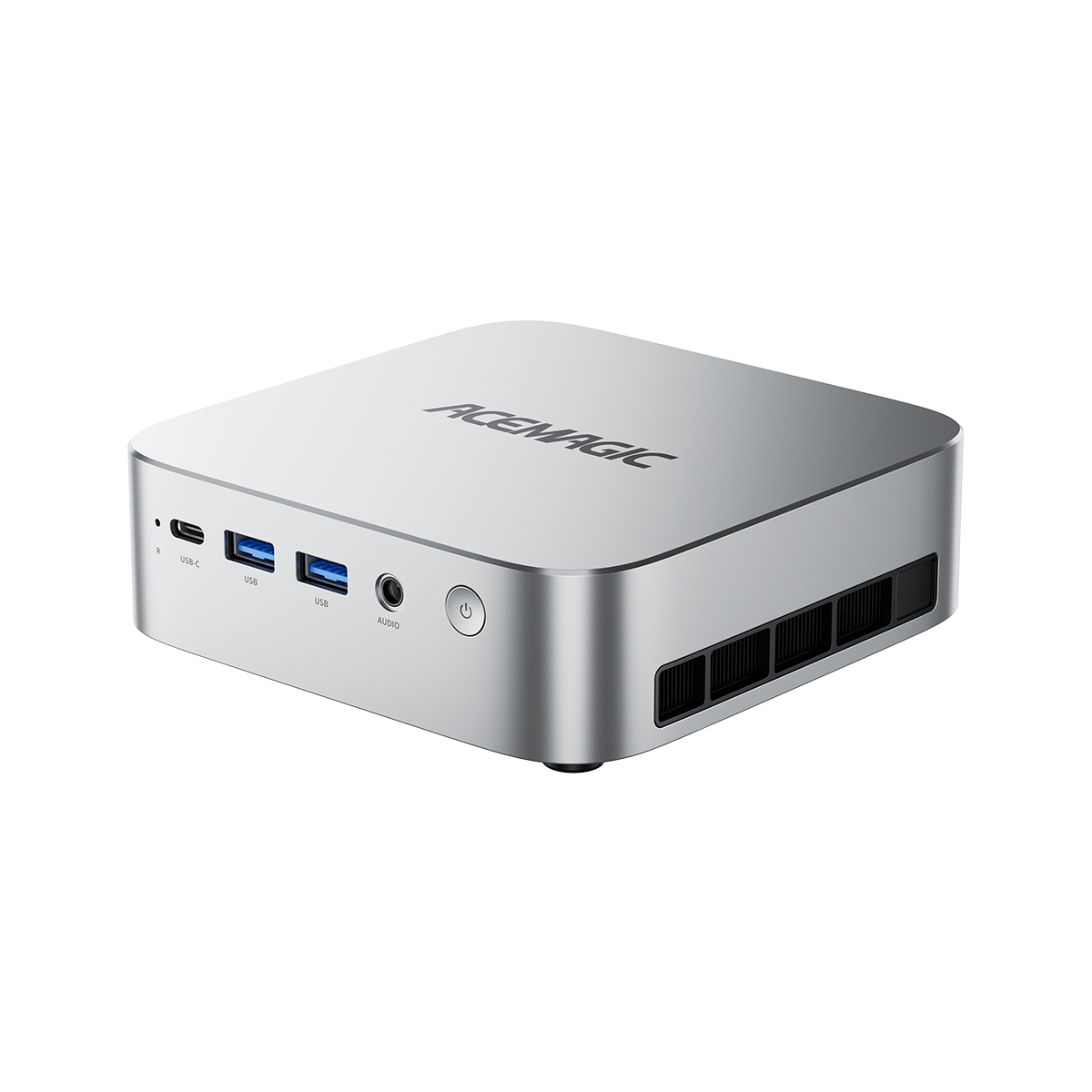
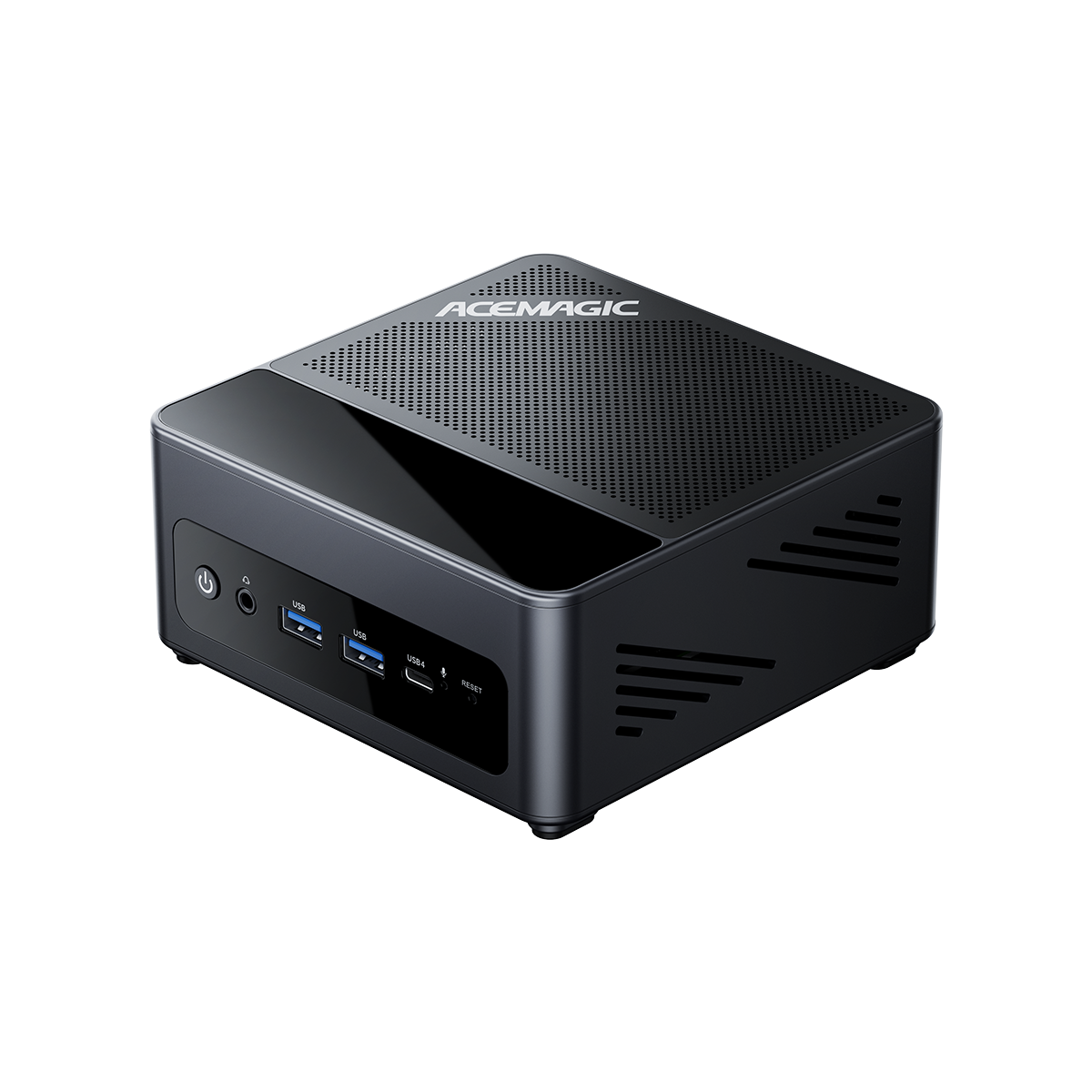
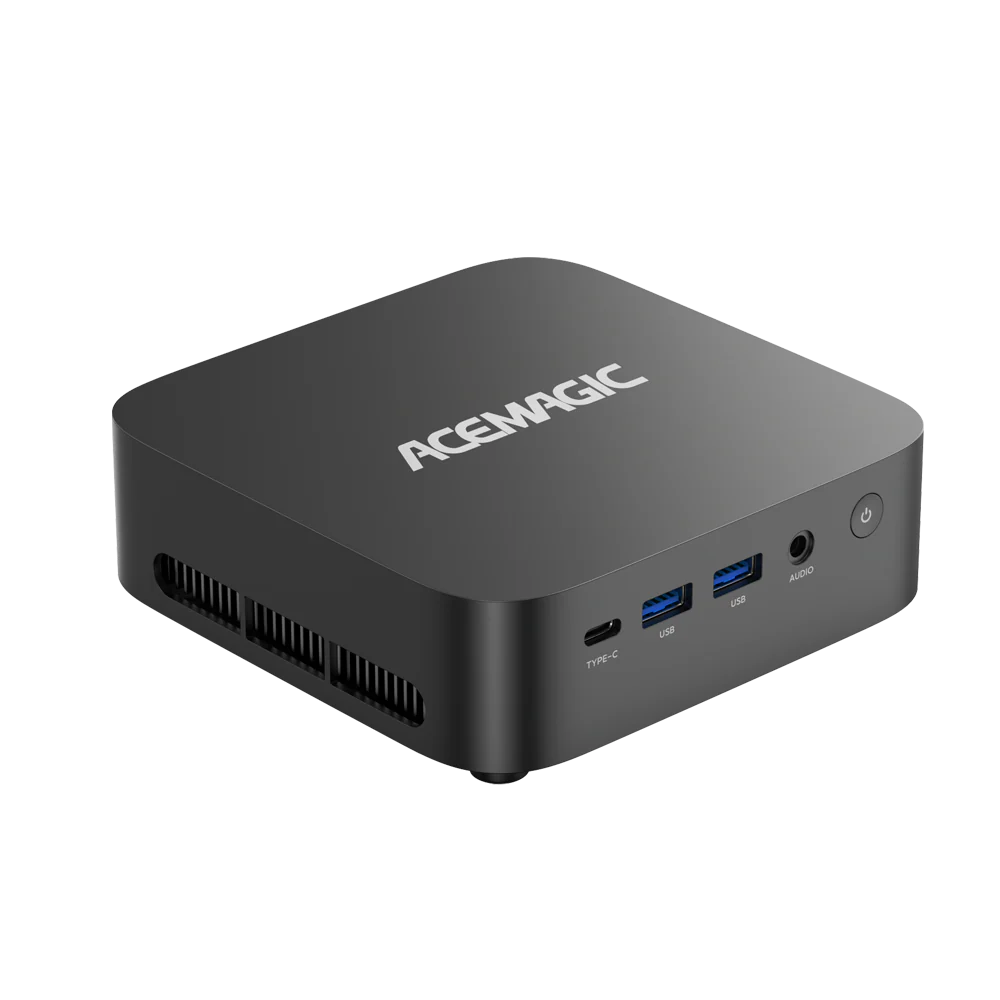
Configuration sources include the ACEMAGIC F5A HX 470 mini PC, ACEMAGIC Retro X5 mini PCs, and ACEMAGIC F9A PRO 495 workstation. Platform mapping follows AMD Adrenalin 26.10.1 release notes.
| ACEMAGIC configuration | Processor and integrated graphics | Official driver compatibility — not a game guarantee |
|---|---|---|
| F5A HX 470 | Ryzen AI 9 HX 470; Radeon 890M | Processor family listed in AMD's expanded support |
| Retro X5 AI 9 365 | Ryzen AI 9 365; Radeon 880M | Processor family listed; confirm driver and game |
| F9A PRO 495 | Ryzen AI Max+ PRO 495; Radeon 8065S | Relevant AI Max family listed; verify the exact system's driver and game |
Configuration sources: ACEMAGIC F5A HX 470, Retro X5, and F9A PRO 495 product pages. Platform mapping follows AMD Adrenalin 26.10.1 release notes. amd.com.
Quick buyer matrix for ACEMAGIC mini PCs
Match your games and budget before picking a model.
The ACEMAGIC F5A HX 470 mini PC lists Radeon 890M graphics and 32GB LPDDR5X-8000 onboard memory. Check whether that fixed capacity suits your longer-term needs. The ACEMAGIC Retro X5 mini PCs contains different processors, so select the intended configuration explicitly.

The ACEMAGIC F9A PRO 495 workstation is a workstation option for buyers who need its memory and productivity features.
For external graphics, our OCuLink vs USB4 guide explains the connection choices. FSR 4.1 is an extra to evaluate, not a requirement for every good mini PC purchase.
| Your player profile | Configuration to examine | What should decide the purchase |
|---|---|---|
| You want demanding PC games and an eligible FSR 4.1 APU | F5A HX 470 with Radeon 890M | Check results in your titles at realistic settings; this is not a promise of maximum-quality AAA gaming |
| You prioritize retro emulation, lighter games and price | Retro X5 AI 9 365 with Radeon 880M | Check emulator requirements, CPU performance and current system price; do not pay more solely for a newer FSR label |
| You need local AI or heavy productivity, with occasional gaming | F9A PRO 495 with Radeon 8065S | Its memory capacity and software support should justify the workstation purchase; FSR alone should not |
| You plan to add an external GPU later | A configuration with a verified OCuLink or suitable USB4 connection | Confirm the actual port, dock, power supply and total cost; the external GPU changes the rendering and upscaling choices |
The side-by-side configurations below summarize the ACEMAGIC options mapped in this guide. Confirm the exact processor and driver path before you order.


Match the configuration you open on the product page to the processor family on AMD's current support list. A product name alone is not a game or FPS guarantee.
Which games and situations benefit most?
FSR helps most when the GPU limits game performance.
For concrete game examples, Cyberpunk 2077's Update 2.3 added FSR-related support, including FSR 3.1 frame generation and an FSR 4 path dependent on compatible hardware and drivers. The Last of Us Part I v1.1.5 added FSR 4 support for compatible AMD GPUs and driver-based version reporting. Neither announcement guarantees playable settings on every mini PC.
See the CD PROJEKT RED announcement for Cyberpunk 2077 Update 2.3 details.
The Naughty Dog patch notes for The Last of Us Part I v1.1.5 document the FSR 4 path for compatible AMD GPUs.
To check what games support FSR 4, use AMD's supported-games catalog and the game's current patch notes. Check the upscaling and frame-generation lists separately. A title appearing under another FidelityFX effect is not evidence that it supports FSR 4.1.
| Gaming situation | Recommended starting point | What to inspect |
|---|---|---|
| A demanding single-player game at 1080p | Lower costly effects, then compare native with FSR Quality | Moving foliage, fine edges, frame times and controls |
| A game already running smoothly at native resolution | Keep native as the baseline; try Native AA if offered | Whether the image improves enough to justify its cost |
| Competitive play on a high-refresh display | Prioritize consistent base FPS and input response | Target visibility and frame pacing; leave frame generation off initially |
| A mini PC connected to a 4K TV | Choose a realistic rendering target and inspect the result from your seat | Output resolution versus rendered detail; do not expect native 4K performance |
| A CPU-heavy simulation or emulator | Reduce CPU-heavy settings and verify the limiting factor | Whether lowering rendering resolution changes performance at all |
How to judge FSR quality in motion
Judge FSR in motion, not just in paused screenshots.
Use the same repeatable scene and change one setting at a time. The symptoms below suggest what to check; they do not prove a single cause.
TechSpot's testing illustrates the tradeoff between reduced smearing and possible shimmer; it does not establish the same result for every APU or quality mode. AMD's developer manual describes several ways to composite UI, so unclear text is not an unavoidable property of all FSR implementations.
| What you notice | What to compare | First adjustment to try |
|---|---|---|
| Shimmering fences, branches or fine patterns | Native versus Quality in the same moving scene | Use a higher-quality preset with more input detail; reduce excessive sharpening |
| Trails or smearing behind a moving character | Frame generation off, then native or Native AA where offered | Isolate frame generation from upscaling; motion blur and the game's temporal rendering can also contribute |
| Distorted HUD, subtitles or crosshairs | Interface with frame generation on and off; check UI scaling | Test without frame generation and check game updates; UI treatment depends on the integration |
| A clean-looking image but sluggish controls | Input response with frame generation off and on | Improve base performance first; leave frame generation off if it harms competitive play |
| Soft detail at a 1080p output | Native and Quality rather than only Balanced or Performance | Return to Quality or native if the performance tradeoff is not worthwhile |
What FPS should you expect from Radeon integrated graphics?
The GPU name alone cannot tell you what FPS to expect.
For FSR 3 frame generation, AMD's guidance favors at least 60 FPS before interpolation and advises against sub-30 FPS input. That is guidance for this implementation, not a universal rule covering every newer frame-generation system.
Treat ray tracing as a separate workload. Reduce or disable demanding RT effects if base performance is poor; FSR eligibility does not establish a stable 60 FPS target. When comparing reviews, keep the game build, resolution, preset, upscaler, frame-generation state and system power profile attached to each result.
| Starting point | A useful expectation | What the specification does not prove |
|---|---|---|
| Radeon 780M in a selected lighter game or emulator | Test native resolution and the game's available FSR implementation | A fixed FPS range across modern AAA releases |
| Eligible Radeon 880M or 890M platform using FSR 4.1 | Compare Quality against native in the same scene | A universal 10–20% lead over another GPU or FSR version |
| High-memory Ryzen AI Max workstations | Judge gaming compute and settings separately from AI memory capacity | That more shared memory automatically produces more gaming FPS |
| Frame generation enabled | Check base FPS, displayed FPS and input response separately | That a larger counter turns an unresponsive game into a responsive one |
How to enable FSR 4.1
Update the driver, then enable FSR in supported games.
Identify the processor and Radeon GPU in your system. Match them to AMD's feature requirements and your PC's support information.
Update the game and install a suitable supported graphics driver. Use your PC's support information and AMD's current release notes to choose it.
Open the game's graphics settings. If it exposes the supported ML upscaler directly, select it there. The menu may retain an older FSR 4 label.

For an eligible driver-upgrade path, close the game. Open AMD Software: Adrenalin Edition, then Gaming and Graphics, and enable AMD FSR Upscaling.
Launch the supported game and enable its required FSR option. AMD's instructions describe the upgrade path for supported FSR 3.1-or-newer integrations; do not assume any older FSR option qualifies.
Start with Quality and repeat a saved scene. Compare native rendering with upscaling before changing other options.
Check that the intended upgrade is active
After enabling the driver path, open the game's profile in AMD Software and check the upscaling status, if available. If it reports an inactive upgrade or requests an in-game FSR option, resolve that requirement first. An enabled toggle alone does not confirm that the game is using the intended model.
Use an in-game version indicator where one exists, but do not reject a working upgrade solely because the static menu label still reads FSR 4 or FSR 3.1. Recheck the hardware, driver, game integration and selected setting in that order. A sharper screenshot or a higher FPS counter alone cannot identify the active DLL version.
Source: AMD's official activation instructions on the FidelityFX Super Resolution feature page. Menu availability depends on the supported hardware, driver and game. amd.com.
Where should you download FSR 4.1?
For the official route, obtain the graphics driver through AMD or your system's support channel, and the game update through its launcher. A standalone DLL is not a universal upgrade for every PC. Developers use the SDK; players usually need the supported driver and game integration.
If you are looking specifically for an FSR 4.1 DLL or an RDNA 3.5 INT8 download, first identify whether the instructions concern AMD's driver, an SDK component or a third-party modification. Their version numbers and hardware requirements are not interchangeable.
Why FSR may look blurry or fail to improve FPS
Check the game, driver and performance limit first.
If the option is missing, check the exact configuration against the support table and read the game's current requirements. Do not use a successful installation of the general AMD driver as proof that every feature is available.

If the image is soft or unstable, compare Quality with native rendering. Inspect movement, not only screenshots. Return sharpening to a moderate level before changing multiple settings. Use the same output resolution and turn dynamic resolution off for a controlled comparison where the game allows it.
If FPS barely changes, turn frame generation off and compare the same scene at lower rendering resolution. Check frame times and CPU/GPU load alongside average FPS. Upscaling has processing overhead; it cannot remove a CPU simulation limit or repair a thermal problem.
Common FSR 4.1 myths
FSR compatibility depends on more than AI branding.
For the NPU distinction, see AMD's GPU upscaler requirements. AMD also explains why FSR and RSR upscaling should not be stacked. Third-party files can be useful, but their existence is not a blanket promise of stability or official support.
| Misconception | What to use instead |
|---|---|
| Every Ryzen AI processor automatically supports FSR 4.1 | Check the specific processor family on AMD's current list, then the driver and game |
| A higher NPU TOPS number means faster FSR | The implementations discussed here are GPU graphics workloads; an NPU rating does not predict their performance |
| FSR 4.1 always raises FPS | Upscaling has a processing cost and may not help when another part of the system limits the game |
| Stacking FSR and RSR upscaling gives a better result | Use the in-game FSR upscaler when available; repeating upscaling work can hurt image quality |
| A third-party FSR file is equivalent to AMD's official support | Check the project's version, hardware and game requirements; community compatibility is a separate claim |
Frequently Asked Questions
UMA, emulators and VRR each need a separate check. The answers below cover common follow-up questions from AMD mini PC users.
Should I increase UMA frame buffer size to make FSR faster?
Not as a general optimization. AMD recommends Auto for most desktop iGPU workloads. A manual allocation may help particular games with missing textures or graphics-memory warnings, but reserving more memory does not add GPU compute or bandwidth. Check your model's BIOS guidance before changing it.
How do I get AMD FidelityFX Super Resolution in RPCS3?
Use RPCS3's own output-scaling controls and documentation for your build. The emulator project implements an FSR 1 spatial upscaler; that does not establish FSR 4.1 support. Do not copy an FSR 4.1 game DLL into the emulator and assume the two systems are interchangeable. An official FSR demonstration shows the spatial-upscaler concept; RPCS3's own docs cover its FSR 1 path.
Does Fortnite support FSR?
Epic's current graphics-setting guidance says FSR is not available as an in-game option. It lists alternatives such as TSR and, on compatible hardware, DLSS. On an AMD iGPU, inspect the options offered by your current Fortnite build; installing an AMD driver does not add a missing in-game FSR integration.
Can FSR frame generation work with FreeSync or VRR?
It can, but check the game's implementation and your display's supported range. AMD's FSR 3 documentation includes VRR and V-Sync combinations and recommends a frame limiter for a steady frame rate. Do not copy settings from another game without checking pacing and tearing on your display.
Will FSR make my mini PC cooler or quieter?
Not automatically. An uncapped game may use the available performance to render more frames. If lower noise is the goal, try a suitable FPS limit and compare the same scene at the same target. Treat that as a setting to test, not a guaranteed power or acoustic reduction. AMD's frame-limiter guidance helps with setting a steady target, but does not supply a noise result for these PCs.
Should you use FSR on your AMD mini PC?
Use FSR when the result looks and feels better.
If you mainly play competitive games or use emulators, first check whether a Radeon 780M configuration already delivers the experience you need. It may be the better-value purchase at a lower system price; paying more for FSR 4.1 alone is difficult to justify if your games do not benefit from it.
For a Ryzen AI configuration with Radeon 890M graphics, explore the ACEMAGIC F5A HX 470 mini PC. Check its complete configuration against your games and display before ordering. FSR 4.1 is a useful extra where supported, not a substitute for buying the right PC.
When you compare an iGPU against a discrete or external GPU, treat FSR support as one factor beside ports, power and total system cost.
References and Data Sources
- AMD. “Adrenalin 26.10.1 release notes.” amd.com; “FidelityFX Super Resolution feature matrix.” amd.com; “FidelityFX supported games.” amd.com; “UMA frame buffer FAQ (PA-280).” amd.com; “FSR Upscaling 4.1 platform expansion.” newsroom.amd.com.
- GPUOpen. “AMD FSR SDK.” gpuopen.com; “FidelityFX Super Resolution 3.” gpuopen.com; “FSR frame generation.” gpuopen.com; “Super Resolution interpolation manual.” gpuopen.com; “AMD FSR Upscaling.” gpuopen.com; “FidelityFX Super Resolution 2.” gpuopen.com.
- NVIDIA. “DLSS developer documentation.” developer.nvidia.com.
- TechSpot. “AMD FSR 4.1 tested.” techspot.com.
- ComputerBase. “FSR Upscaling 4.1 test.” computerbase.de.
- Intel. “XeSS Super Resolution requirements.” intel.com.
- CD PROJEKT RED. “Cyberpunk 2077 Update 2.3 announcement.” cdprojekt.com.
- Naughty Dog. “The Last of Us Part I v1.1.5 patch notes for PC.” naughtydog.com.
- GitHub. “fsr4-shader-performance-overrides compatibility notes.” github.com; “RPCS3 FSR 1 header.” github.com.
- Epic Games. “Fortnite PC graphics-setting guidance.” epicgames.com.