
Should You Build Multi-Mini-PC AI Cluster or Buy a High-Memory Mini PC?
Mini PC Local AI Cluster: Can Multiple Mini PCs Share RAM for LLMs?
You have one Mini PC running local AI. It works well—but now you want to add a second one.
What exactly do you gain?
- Can both Mini PCs serve more AI requests? Yes.
- Can different AI agents run on separate nodes? Yes.
- Can two 128GB Mini PCs simply behave like one 256GB computer? No.
The distinction is easier to see in a simple comparison:
| Concept | Two 128GB Mini PCs |
|---|---|
| Total physical memory | 256GB |
| Memory per node | 128GB |
| Memory directly available to one model | Usually not 256GB |
| Memory bandwidth | Does not simply add together |
| Network bandwidth | Separate from memory bandwidth |
The distinction is important because total memory capacity is not the same as memory available to one workload. Two 128GB Mini PCs contain 256GB of physical memory in total, but that memory is distributed across two separate systems. Whether a single LLM can use memory from both nodes depends on the distributed inference framework and how the model is partitioned.
A Mini PC cluster can be extremely useful for local AI, but only when the cluster architecture matches the problem you are trying to solve. In practice, there are two very different reasons to connect multiple AI compute nodes:
Run more independent AI workloads at the same time, or split one workload across multiple nodes.
Those approaches have very different memory, networking, and software requirements.
The best place to start is therefore not with cluster hardware.
Start with the bottleneck.

What Does Adding a Second Mini PC Actually Improve?
Before buying another node, identify what is slowing you down.
The useful question is not:
Can Mini PCs be clustered?
They can.
The useful question is:
What job do you want the second node to take away from the first one?
Can Multiple Mini PCs Run AI Together?
Yes, but there are two fundamentally different ways to do it.
A local AI cluster can either distribute independent workloads between nodes or use distributed software to make multiple nodes participate in the same workload.
They should not be treated as the same architecture.
Workload routing
In the simpler setup, every Mini PC remains an independent AI compute node.
For example:
- Node A
- Large LLM
- Node B
- Coding model
- Node C
- Embeddings or another AI agent
When a request arrives, routing software decides which node should handle it.
The entire inference request still runs on one node.
NVIDIA Personal AI Router, or PAIR, follows this general model. Independent inference requests can be routed to eligible nodes according to factors such as model availability and current workload. NVIDIA's developer resources provide more detail on how PAIR evaluates node eligibility.
This is useful when your bottleneck is concurrency.
If several AI agents are all waiting for the same inference engine, adding another compute node can reduce queueing by allowing independent requests to run in parallel.
What it does not do is turn two nodes into one larger accelerator.
Does a Mini PC Cluster Combine RAM?
This is one of the most important distinctions when building a local LLM cluster.
Suppose you have:
Node A: 128GB
and
- Node B: 128GB
- That does not normally equal:
- One 256GB system
- Each node still owns its own memory.

In a workload-routing cluster, this is straightforward.
If Node A receives a request, the model must fit within the memory available on Node A. It cannot simply borrow unused memory from Node B.
Routing systems such as NVIDIA PAIR do not turn memory across several nodes into one shared pool.
Distributed inference is different.
Some frameworks can place different parts of a model or computation on multiple nodes. This may allow a model to use more total memory than any single node provides.
But even then:
2 × 128GB is not equivalent to one native 256GB memory system.
The nodes must communicate over the network, and that communication introduces overhead.
Important: A Mini PC cluster does not automatically pool memory between nodes. Workload-routing systems keep each node's memory separate. Distributed inference frameworks can split model data across nodes, but this adds network overhead and is not the same as a single high-memory system. If your primary goal is running one very large model, a single high-memory node like the M1A PRO+ with 128GB unified memory is usually simpler and can avoid the network overhead associated with distributed inference.
Two Types of Local AI Cluster: Workload Routing vs Distributed Inference
| Concept | Workload Routing | Distributed Inference |
|---|---|---|
| Main purpose | Run more independent workloads | Run one workload across nodes |
| Model location | One node | Multiple nodes |
| Memory | Separate | Can be distributed |
| Network dependency | Low | High |
| 2.5GbE | Often sufficient | May become a bottleneck |
| Setup difficulty | Lower | Higher |
| Best for | Multiple agents or users |
Models too large for one node |
The difference is easier to see side by side.
This explains why adding another Mini PC can dramatically improve one AI workflow and barely change another.
If ten independent requests are waiting, a second node can add useful capacity.
If one user is chatting with one model that already fits comfortably on one node, a second node may contribute almost nothing unless the framework can actually split the workload.
Can You Build a Local LLM Cluster Across Multiple PCs?
Yes.
Distributed frameworks can make several nodes participate in one model workload.
One example is the RPC backend available in llama.cpp, which can expose remote compute devices and offload parts of model computation across the network. The llama.cpp project documents the RPC backend and its requirements in more detail.
This makes it technically possible to run a model across several systems instead of keeping the entire workload on one node.
But there is an important trade-off:
Distributed inference can increase the amount of model data you can accommodate, while also increasing latency.
Even with fast networking, splitting one LLM across multiple nodes will usually add communication overhead compared with running the same model entirely on one sufficiently large high-memory node.
That means a distributed setup may let you run a model that otherwise would not fit, while still delivering worse time-to-first-token or token latency than a single-node configuration.
So there are really two questions:
Can several nodes run the model?
and:
Will the result be fast enough for the way you want to use it?
Those are not the same thing.
For batch processing, experiments, or long-running jobs, extra latency may be acceptable.
For an interactive local assistant, it can be much more noticeable.
AI Cluster Networking: Is 2.5GbE Fast Enough?
There is no universal network requirement for an AI cluster.
It depends on what actually crosses the network.

Workload routing
If Node A runs one model locally and Node B runs another, the network mainly carries:
- prompts
- responses
- API traffic
- node status
- routing information
The model itself does not need to move continuously between nodes.
For this type of Mini PC cluster, 2.5GbE can be a practical starting point.
Distributed inference
The requirements change if two or more nodes participate in the same inference request.
Now intermediate data may need to travel between nodes while inference is taking place.
Network bandwidth and latency can therefore become part of the performance bottleneck.
A simple way to think about AI cluster networking is:
So instead of asking:
Is 2.5GbE enough for an AI cluster?
Ask:
How much data needs to move between my AI compute nodes while the workload is running?
For workload routing, the answer may be very little.
For distributed inference, it can be much more.
One High-Memory Mini PC or Two Cluster Nodes?
This is often the more useful buying decision.
Suppose your choice is between:
one node with enough memory to run the model locally
or
two smaller nodes with more combined resources
If the main requirement is one large LLM, the high-memory single node is usually simpler.
You avoid:
- network overhead
- model partitioning
- additional OS maintenance
- another power supply
- another failure point
- distributed framework configuration
A cluster becomes more attractive when the workload can actually be separated.
For example, you may want:
Node A
→ main LLM
Node B
→ embeddings, image generation, coding model, or another agent
In that case, the second node solves a real resource-contention problem.
A useful rule is:
Scale up when one workload needs more resources.
Scale out when you have more independent work to run.
Distributed inference is the exception that sits between those two ideas: you are scaling out specifically because a single workload no longer fits comfortably on one node.
For more context on choosing between a single high-memory node and multiple systems, the Strix Halo memory comparison guide breaks down how much memory different LLM tiers actually need.
What Makes a Good AI Compute Node?
The most expensive CPU is not automatically the best cluster choice.
Each system should be evaluated as a complete AI compute node.
This is why TOPS alone is not enough to judge whether a Mini PC makes a good cluster node.
A node may have strong NPU specifications but still be unsuitable if your software relies primarily on CUDA.
Likewise, a less powerful node can still be valuable if it takes smaller or background workloads away from the main inference node.
Do AI Cluster Nodes Need the Same Hardware?
No.
For workload routing, different hardware can actually be useful.
This is a heterogeneous cluster.
You might deliberately use:
Each node takes the job that fits its hardware.
This can be more useful than buying several identical systems.
However, heterogeneous clusters also have a limitation.
They work well when workloads can be routed independently, but mismatched hardware can create load imbalance when several different nodes are asked to cooperate on one distributed inference job.
A faster node may spend time waiting for a slower node, while differences in GPU architecture, available memory, and framework support can make workload splitting more difficult.
So hardware diversity is usually a strength for workload routing and a potential complication for distributed inference.
A Practical Three-Node Local AI Cluster
Now the hardware choices become easier to understand.
Instead of ranking three Mini PCs from fastest to slowest, assign each one a specific role.

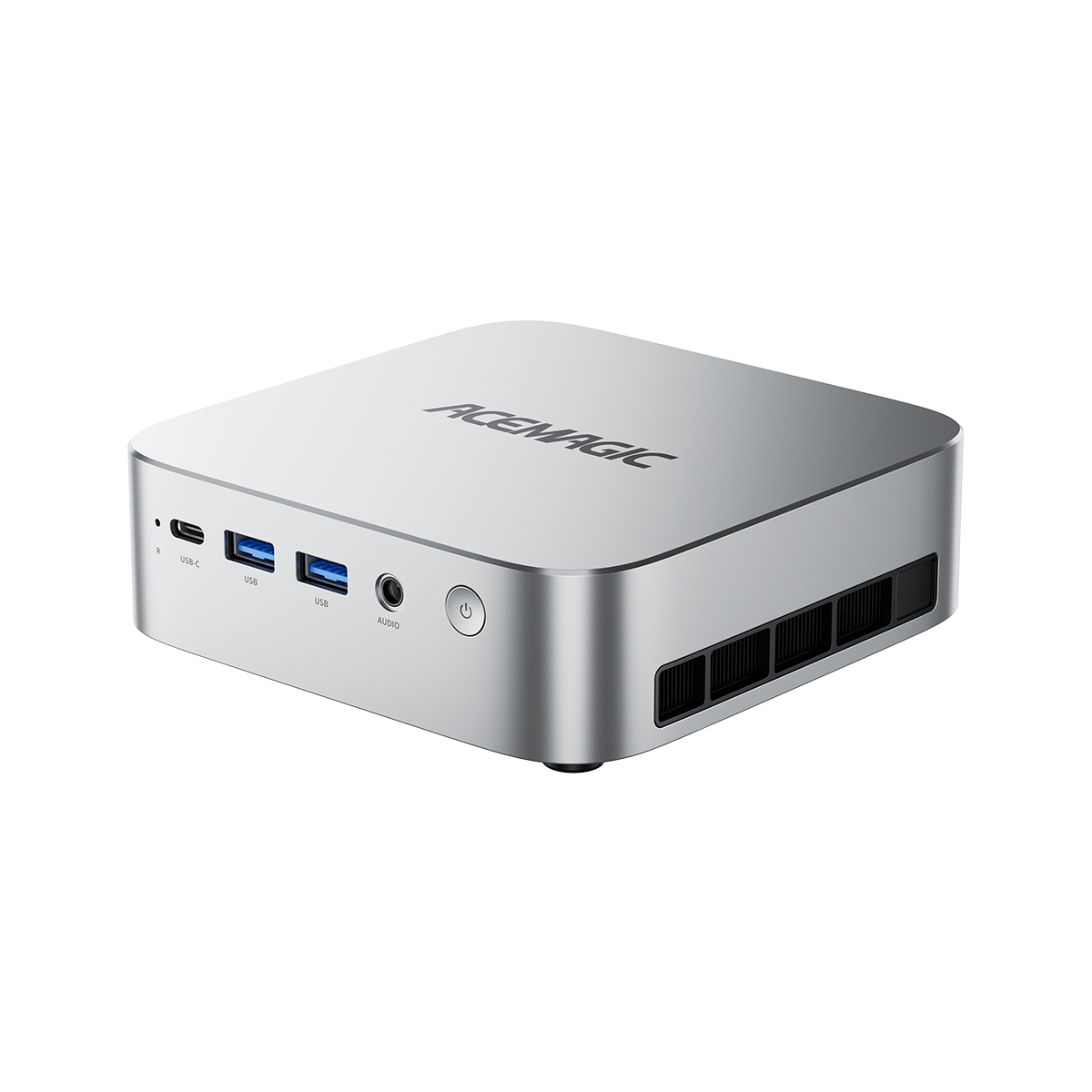
ACEMAGIC M1A PRO+ 395 — High-Memory Node
The M1A PRO+ 395 is the natural fit for memory-heavy local AI workloads.
Its cluster-relevant characteristics include:
- Ryzen AI Max+ 395
- Radeon 8060S
- 128GB LPDDR5X memory
- dual 2.5GbE
- multiple local storage options
The key feature here is not simply processor performance.
It is the ability to keep a relatively large workload entirely on one node.
In a cluster, the M1A PRO+ could therefore act as the primary high-memory inference node.
For example:
M1A PRO+
→ main local LLM
while other nodes handle tasks that do not need its memory capacity.
The reason to add a 128GB node is not:
“My cluster now has another 128GB of pooled RAM.”
It is:
“My cluster now has another node capable of running a memory-heavy workload independently.”
For a deeper look at how this processor compares to higher-memory alternatives, see the Ryzen AI Max+ 395 vs PRO 495 comparison.

ACEMAGIC M1A PRO+ 395 — High-Memory AI Node
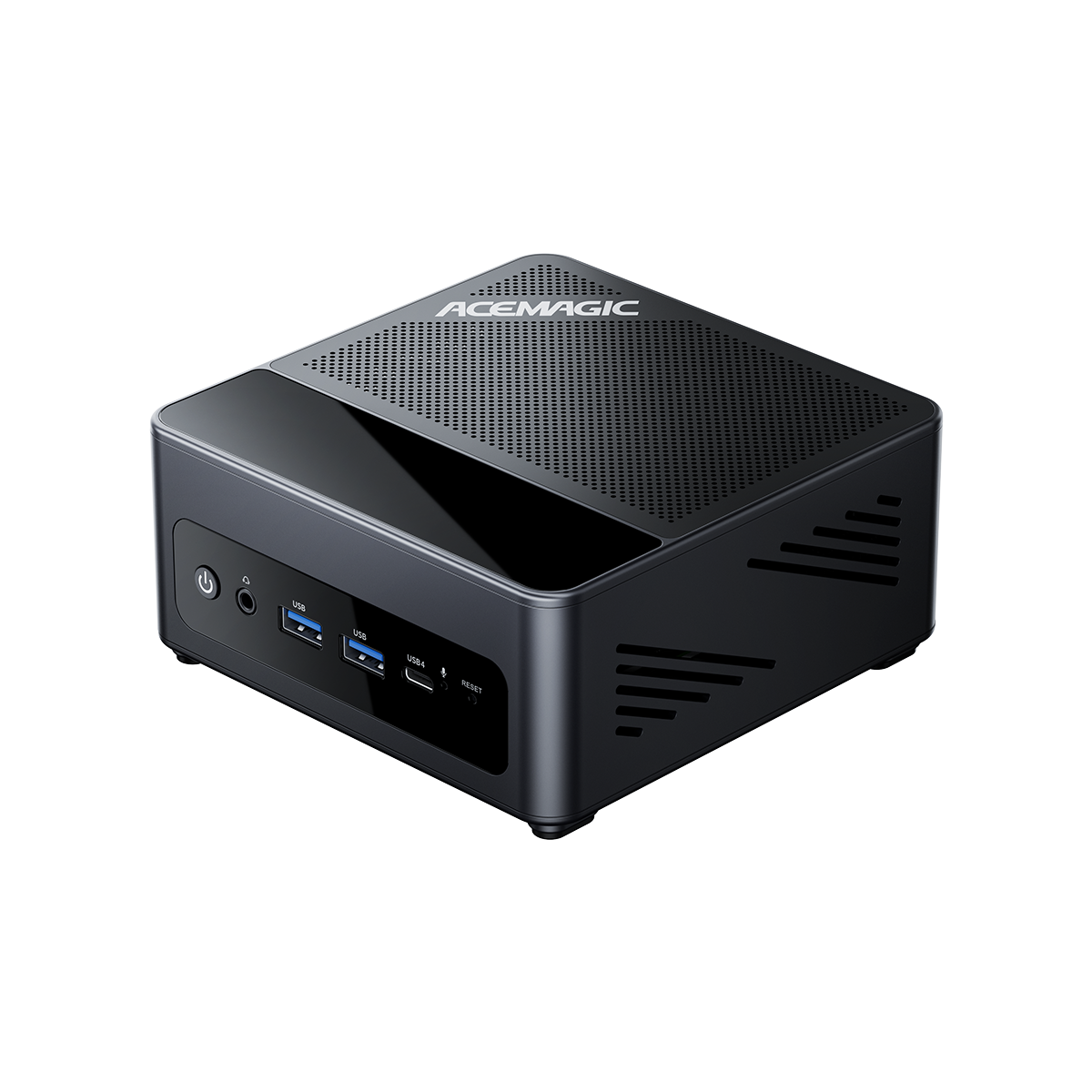
ACEMAGIC G3A Workstation— NVIDIA / CUDA Node
The G3A fills a different role.
Its relevant configuration combines:
- Core i9-13900F
- NVIDIA RTX 2000 Ada
- 16GB GDDR6 VRAM
- expandable system memory
- wired Ethernet connectivity
The important difference is the NVIDIA GPU.
Many AI libraries, development environments, and acceleration paths still depend heavily on CUDA.
That means a G3A-type node can complement a high-memory AMD node rather than duplicate it.
For example:
M1A PRO+
→ large memory-heavy LLM
G3A
→ CUDA-dependent workload
This illustrates an important principle for heterogeneous clusters:
The most useful second node is not always another copy of the first one.
Sometimes adding a capability you do not already have creates more value than adding more of the same hardware.

ACEMAGIC G3A — NVIDIA CUDA Node
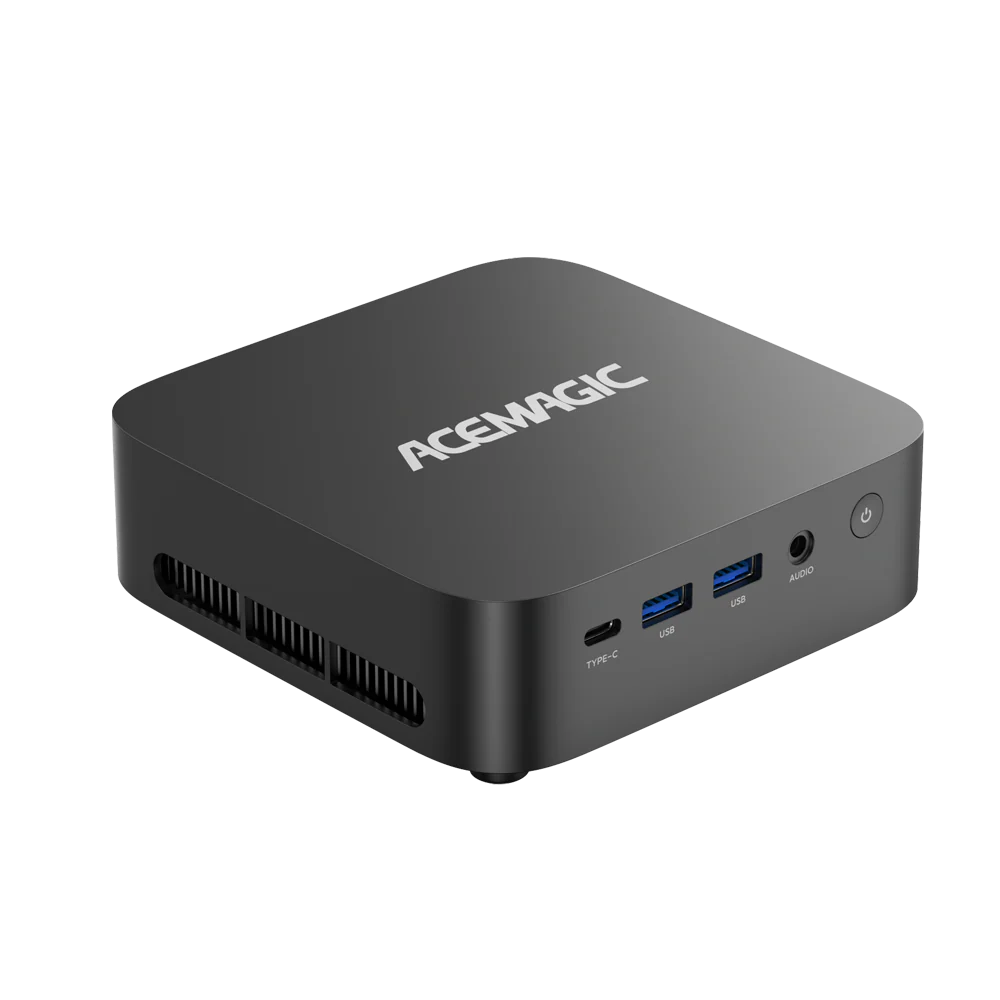
ACEMAGIC AM18 — A Practical Supporting Node
In a real local AI setup, an AM18-class Mini PC can be deployed as a supporting node rather than participating in every round of the main LLM inference.
For example, the cluster could be organized as follows:
- M1A PRO+ 395: runs the main memory-intensive local LLM.
- G3A: handles workloads that depend on NVIDIA CUDA.
- AM18: runs supporting services such as embeddings, RAG indexing, document processing, vector database services, or automation.
| Local AI Cluster | ||
| │ | ||
| M1A PRO+ 395 | G3A | AM18 |
| High-Memory Node | RTX 2000 Ada | Supporting Node |
| Main LLM | CUDA Tasks | RAG / Services |
| │ | ||
| └───────────────┬───────────────┘ | ||
| 2.5GbE LAN | ||
All three systems remain separate computers and communicate through the local network. In a RAG workflow, for example, the AM18 can handle document retrieval and vector search, while the M1A PRO+ 395 handles the final LLM generation.
The AM18 is therefore an example of how a supporting node can be deployed in a heterogeneous cluster. These workloads do not specifically require an AM18; other Mini PCs or servers can perform the same role depending on the software stack and workload.

ACEMAGIC AM18 — Expandable Supporting Node
How These Three Nodes Could Work Together
A practical heterogeneous local AI cluster could therefore look like this:
The important point is that these three systems do not become one computer.
They remain separate AI compute nodes.
The value comes from putting different workloads on the hardware best suited to them.
For many local AI users, this type of workload separation is more practical than trying to make every node participate in every inference request.
For users interested in virtualization-based cluster management, the Proxmox Mini PC guide covers which systems work well for homelab and container workloads.
What Is the Main Downside of a Multi-Mini PC AI Cluster?
More nodes also mean more overhead.
Compared with one powerful system, a multi-node cluster generally means:
- higher total power consumption
- more operating systems to maintain
- more software versions to keep consistent
- more network dependencies
- more hardware that can fail
- more time spent monitoring and troubleshooting
A second or third node therefore needs to solve a real problem.
If one high-memory Mini PC already runs everything comfortably, adding more hardware may simply increase complexity.
This is why the best cluster design is often not the one with the most nodes.
It is the one with the fewest nodes required to separate the workloads that genuinely compete for resources.
How to Build a Mini PC Cluster for Local AI
Start with one node.
Run the workload you actually care about and identify the bottleneck.

Measure things such as:
- memory usage
- time to first token
- token generation speed
- request queueing
- GPU utilisation
- CPU utilisation
- background workload contention
Then decide what the second node needs to solve.
If several independent requests are waiting
Use workload routing.
Move independent agents or models onto separate nodes.
If background AI work slows down interactive inference
Move embeddings, indexing, or automation onto a supporting node.
If you need a software stack that requires CUDA
Add a compatible NVIDIA node.
If one model simply does not fit
First compare the cost and complexity of a higher-memory single node with a distributed inference setup.
Only choose distributed inference if the larger model justifies the additional networking and software complexity.
Finally, test two nodes before adding three or four.
If Node B does not solve a measurable bottleneck on Node A, adding Node C is unlikely to fix the architecture.
Is a Local LLM Cluster Worth It?
A local LLM cluster makes the most sense when your workload can genuinely benefit from multiple independent compute nodes.
Good examples include:
- multi-agent workflows
- multiple simultaneous users
- different models serving different purposes
- CUDA workloads alongside high-memory workloads
- embeddings and RAG processing running beside interactive inference
- distributed inference experiments
It is less compelling when your entire workload is:
one user + one model + one request at a time
especially when that model already fits comfortably on one node.
And if your only goal is to run a model larger than any individual node can hold, remember that you are moving from ordinary workload routing into distributed inference.
That changes the problem.
Now network performance, model partitioning and framework support matter alongside CPU, GPU and memory.
The key distinction is simple:
A Mini PC cluster does not automatically turn several small computers into one large computer.
Its real value is giving you control over where each AI workload runs—and, when distributed inference is actually necessary, deciding whether the additional complexity is worth the larger model capacity.
For more background on how local AI hardware choices compare, the DGX Spark vs Strix Halo comparison covers alternative hardware approaches.
FAQ
Can you cluster multiple Mini PCs for AI?
Yes. Multiple Mini PCs can operate as separate AI compute nodes for different models, agents or inference requests. Some frameworks can also distribute one model across several nodes, but that requires specific software support.
Do two 128GB Mini PCs give you 256GB for one LLM?
Not automatically. Each node keeps its own memory. Workload-routing systems do not pool memory between nodes. Distributed inference can distribute model data across several nodes, but this is not equivalent to a native 256GB memory system.
Is 2.5GbE enough for a Mini PC AI cluster?
For workload routing, APIs, and many home-lab workloads, 2.5GbE can be a practical starting point. Distributed inference can put much greater pressure on the network, making higher bandwidth and lower latency more important.
Can two PCs run one LLM together?
Yes, if the software supports distributed inference or remote compute. However, running one model across multiple nodes usually adds network and communication overhead compared with keeping the complete model on one sufficiently large node.
Do all AI cluster nodes need the same hardware?
No. A heterogeneous AI cluster can combine high-memory nodes, NVIDIA GPU nodes, and lower-cost supporting systems. Matching hardware becomes more important when several nodes need to cooperate closely on the same inference workload.
What is the main downside of a multi-Mini PC AI cluster?
The main trade-offs are higher total power consumption, more maintenance, greater networking dependence, and additional software complexity. If one powerful node already handles the workload comfortably, a cluster may add more complexity than useful performance.